
|
Do it yourself
| |||
| ||||



How to Change the Oil and Filter on a Hyundai i30
Model: Hyundai I30
MK 1, FD
- Years:
2007, 2008, 2009, 2010, 2011, 2012
Video tutorial
On a Hyundai i30, the oil change is performed by draining from underneath and replacing the oil filter from the engine bay. Work with the engine warm, on a flat surface, with the car safely on axle stands or a ramp, and with a large container to collect the used oil. Open the bonnet and prepare access for topping up, then go underneath the car and clear access to the sump by removing any inspection cover. Position the container, unscrew the drain plug, and allow the oil to drain completely. Once the draining is finished, clean the area and refit the plug with its seal in good condition, tightening without forcing. Return to the engine bay and locate the cartridge oil filter housing. Unscrew the cover with the appropriate tool, remove the used cartridge, and replace the O-ring on the cover, cleaning the mating surfaces before reassembly. Insert the new cartridge, refit the cover, and check that it is seated correctly. Top up with oil that meets the specifications for your engine, pouring gradually and checking the level. Start for a few seconds, turn off, and wait for settling; recheck the level with the dipstick and top up if necessary. Finally, check for any leaks from the drain plug and the filter area.
Posted on 22 July 2026 by ScegliAuto
Related tutorials
Hyundai I30
(2016-2024 /
MK 3, PD)
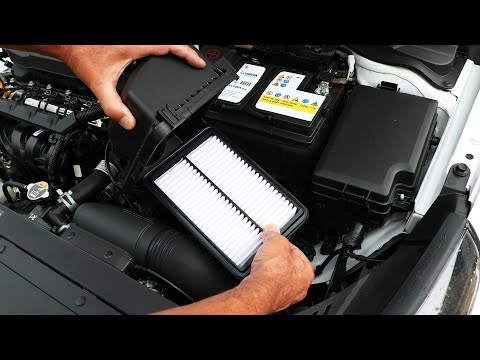
Replacing the engine air filter in your latest Hyundai i30 is very simple, and by following the steps in this guide, you can complete the task in jus…
Hyundai I30
(2016-2024 /
MK 3, PD)
This guide outlines the main steps to change the gearbox oil on a Hyundai i30. First, open the bonnet and remove the air filter housing. Then, unscre…
Hyundai I30
(2016-2024 /
MK 3, PD)
If it is time to replace the air filter fitted in your Hyundai i30 (2021) but you don't know how to do it, simply follow the steps outlined in this m…
Other guides you may be interested in
|
How to Set the Date and Time on the Iveco Daily
Today, we will see in this video tutorial how to change the date and time on the Iveco Daily. First, get into the vehicle and turn on the instrument panel; then go to the vehicle settings on the central display, pressing the relevant option for date and time. At this point, press the "set" button located at the top, using the physical arrow buttons to set both the date and time; finally, exit the onboard computer menu to save the changes made! by ScegliAuto More videos
|
|
For advertising on this site Write to info@scegliauto.com
ScegliAuto is not responsible for any inaccuracy of the data in the lists. To report any inaccuracy or your business (if you own the business in question), please write to info@scegliauto.com
Number of seconds to generate the page: 0.050
(c) ScegliAuto 2026 - info@scegliauto.com - Privacy policy VAT number: IT01247470535 |
