
|
Do it yourself
| |||
| ||||



How to Reset the Service Light on the 2022 Hyundai i30
Model: Hyundai I30
MK 3, PD
- Years:
2016, 2017, 2018, 2019, 2020, 2021, 2022, 2023, 2024
Video tutorial
Resetting the service light on the 2022 Hyundai i30 is very simple and can be done independently. This reset is performed after each service, whether routine or extraordinary. Get in the car and turn on the instrument cluster and the onboard computer of the Hyundai. Press the SETUP button on the onboard computer and select "Settings". Then select "Vehicle" and then "Maintenance Intervals". Finally, select "Reset" to restore the light. This operation is the same across all new Hyundai models.
Updated on 14 August 2026 by ScegliAuto
Related tutorials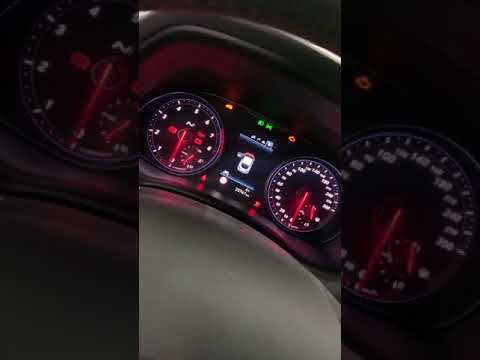
Hyundai I30
(2016-2024 /
MK 3, PD)
In today's video, you will learn how to reset the service light of the Hyundai I30 N. This tutorial is also applicable to other models in the I30 ran…

Hyundai I30
(2011-2016 /
GD, MK 2)
The illumination of the light with the wrench symbol, known as the service light or maintenance light, indicates that you need to visit an authorised…

Hyundai I30
(2011-2016 /
GD, MK 2)
Today, you will learn how to reset the service light related to the service interval on a 2016 Hyundai i30. Before performing the reset, it is import…
Other guides you may be interested in
|
How to Change the Time on the Peugeot 208
Today's guide will show you how to set the clock on the Peugeot 208's onboard computer, following the instructions below. First, get in the car and turn on the instrument panel; then press and hold the settings button on the panel for a few seconds until the time starts to flash, as shown in the video. At this point, press the left button to correctly set the time, adjusting the hour first and then the minutes; exit the onboard computer menu to save all the changes made! by ScegliAuto More videos
|
For advertising on this site Write to info@scegliauto.com
ScegliAuto is not responsible for any inaccuracy of the data in the lists. To report any inaccuracy or your business (if you own the business in question), please write to info@scegliauto.com
Number of seconds to generate the page: 0.026
(c) ScegliAuto 2026 - info@scegliauto.com - Privacy policy VAT number: IT01247470535 |
