
|
Do it yourself
| |||
| ||||


How to set the clock on Hyundai vehicles
Model: Hyundai Hyundai Various
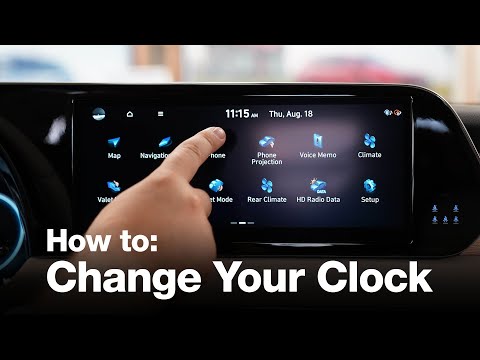
To set the clock in Hyundai vehicles, we turn on the central display, press where the time is displayed, a screen with a check mark on the "gps time" option appears, in this case, the time and date are automatically provided; to change the time or date, we uncheck that box, press where the time is displayed and the mode to change the time, date, or day period (morning or afternoon) appears; to adjust the time or date, we use the arrow keys to move up or down depending on the number to be set; once the correct time and date are set, we press the upper left arrow to go back, from this screen, we can also change the time format, between 12 or 24 hours. Now we can return to the main infotainment system screen.
Posted on 22 April 2024 by ScegliAuto
Video tutorial
Related tutorials
Hyundai Hyundai Various
To set the clock on the onboard computer of Hyundai vehicles, we need to turn on the instrument panel and the vehicle's computer. From the "vehicle s…

Hyundai Hyundai Various
Today we will explain how to update the date and time on the onboard computer of a Hyundai vehicle. Turn on the car's dashboard and with it the onboa…
Hyundai Hyundai Various
Setting the time on a new generation Hyundai is very simple as it is done through the infotainment system. This operation takes only a few minutes. A…
Other guides you may be interested in
|
How to Open a Stuck Boot on the Peugeot 407?
On the Peugeot 407, the boot may become stuck, possibly due to a problem with the control button or the lock actuator. In such cases, you can perform an emergency opening by following the simple procedure shown in this tutorial. First, open the rear doors, then lower the seat back by operating the release lever. Next, go inside the boot, locate the lock, and manually operate it using a flathead screwdriver. The boot will then be free to open. by ScegliAuto More videos
|
|
For advertising on this site Write to info@scegliauto.com
ScegliAuto is not responsible for any inaccuracy of the data in the lists. To report any inaccuracy or your business (if you own the business in question), please write to info@scegliauto.com
Number of seconds to generate the page: 0.233
(c) ScegliAuto 2026 - info@scegliauto.com - Privacy policy VAT number: IT01247470535 |
