
|
Do it yourself
| |||
| ||||


How to use the air conditioning and heating system of the Hyundai I10
Model: Hyundai I10
IA, MK 2
- Years 2013-2020
In this video we see how to operate the air conditioning and heating system of the Hyundai I10, as well as the I20 and I30. To turn on the fan, we will have to act on the central knob, from which we will also adjust its power. The temperature is instead regulated by the knob on the left, where we have an indicator for hot and one for cold, marked by blue and red. On the knob on the right instead we have where to direct the airflow, so the defroster for the windshield, the next position is the defroster and air for the feet, or the position only for the feet or face and feet or only for the face. Below we have the button for recirculating indoor air. Next to it, there is the rear defroster.
Posted on 13 June 2024 by ScegliAuto
Video tutorial
Related tutorials
Hyundai I10
(2019-2026 /
AI3, AC3)
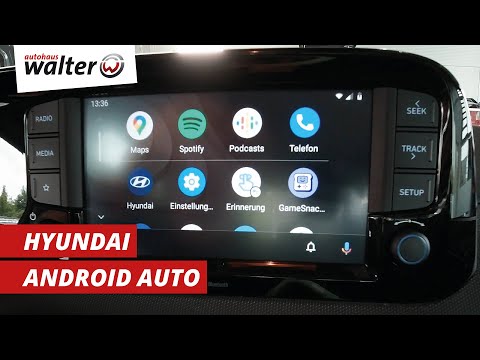
In this new mini guide of ours, we will help you manually change the system language of the menu of your Hyundai I10. First, you need to enter the in…
Hyundai I10
(2019-2026 /
AI3, AC3)
Follow the procedure below to pair your smartphone with the Hyundai I10 multimedia system via Bluetooth using Android Auto or Apple CarPlay. First, g…

Hyundai I10
(2013-2020 /
IA, MK 2)
Here’s how to connect your smartphone to the multimedia system of a Hyundai I10. Activate the Bluetooth on your smartphone and set up the connection …
Other guides you may be interested in
|
How to Open a Stuck Boot on the Peugeot 407?
On the Peugeot 407, the boot may become stuck, possibly due to a problem with the control button or the lock actuator. In such cases, you can perform an emergency opening by following the simple procedure shown in this tutorial. First, open the rear doors, then lower the seat back by operating the release lever. Next, go inside the boot, locate the lock, and manually operate it using a flathead screwdriver. The boot will then be free to open. by ScegliAuto More videos
|
|
For advertising on this site Write to info@scegliauto.com
ScegliAuto is not responsible for any inaccuracy of the data in the lists. To report any inaccuracy or your business (if you own the business in question), please write to info@scegliauto.com
Number of seconds to generate the page: 0.126
(c) ScegliAuto 2026 - info@scegliauto.com - Privacy policy VAT number: IT01247470535 |
