
|
Do it yourself
| |||
| ||||


Where to Find the OBD2 Port in the Iveco Daily 2001
Model: IVECO Daily
If you want to connect a professional diagnostic tool to your 2021 Iveco Daily but don't know where the OBD2 port is located, carefully read the following mini guide for all the information you need. First, park the vehicle on a flat surface and turn it off completely. Next, lift the front bonnet and shift your attention to the top right corner of the engine bay. Remove the circular rubber cap present, and just below it, you will finally have access to the OBD2 port you were looking for.
Updated on 2 August 2026 by ScegliAuto
Video tutorial
Related tutorials
IVECO Daily
(2006-2020 /
MK 4)
If you want to access the OBD2 port located inside your Iveco Daily (2009 model), simply follow the steps described below. First, enter the vehicle a…

IVECO Daily
(2006-2020 /
MK 4)
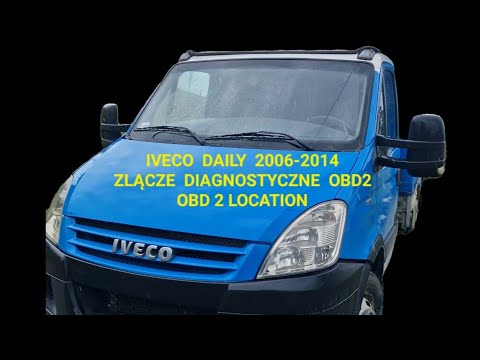
The OBD2 socket on an Iveco Daily vehicle is located inside the vehicle's cabin. The position of the OBD2 socket is a bit inconvenient compared to ot…
IVECO Daily
(2006-2020 /
MK 4)
In this mini guide for those of you with an Iveco Daily Mk4, we will discover where the OBD2 port is located, allowing you to connect an electronic d…
Other guides you may be interested in
|
How to Reset the Central Locking of the Volkswagen Golf 4?
If the central locking system of the Volkswagen Golf 4 is not working, it is likely necessary to reset the system: to do this, open the driver's door and detach the side panel of the dashboard next to the steering wheel. Under this panel, you will find the fuses, including the one for the central locking, which is indicated in the manual as number 14. To reset the system, remove this fuse from its housing, then reinsert it or replace it with a new one of the same amperage: this will reset the central locking system. by ScegliAuto More videos
|
|
For advertising on this site Write to info@scegliauto.com
ScegliAuto is not responsible for any inaccuracy of the data in the lists. To report any inaccuracy or your business (if you own the business in question), please write to info@scegliauto.com
Number of seconds to generate the page: 0.145
(c) ScegliAuto 2026 - info@scegliauto.com - Privacy policy VAT number: IT01247470535 |
