
|
Do it yourself
| |||
| ||||


How to Resolve the Emergency Mode on the Iveco Daily
Model: IVECO Daily
MK 5
- Years:
2014, 2015, 2016, 2017, 2018, 2019, 2020, 2021, 2022, 2023, 2024, 2025
Video tutorial
In this video, see how to resolve the emergency mode on a 2022 Iveco Daily: turn on the ignition and press the accelerator and clutch pedals down at the same time. Hold them for about 10 seconds. Now you can turn everything off and close the van. Wait at least five seconds, put the key back in the ignition, and the emergency mode will have disappeared. You can restart your vehicle, which will not give you any further issues. Naturally, do not ignore this warning; take your vehicle to a mechanic to report the problem (as the error will have been logged in the ECU), but this will save you from driving many miles at reduced speed.
Updated on 30 September 2026 by ScegliAuto
Related tutorials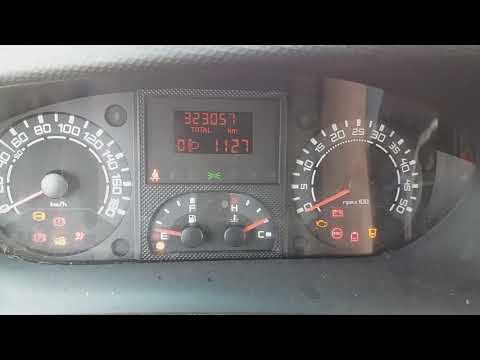
IVECO Daily
(2006-2020 /
MK 4)
Today's information will show you how to resolve the issue related to the EDC warning light on the Iveco Daily. In many cases, the problem is caused …

IVECO Daily
(2006-2020 /
MK 4)
Let’s see how to fix the intermittent EDC light issue on an Iveco Daily. First of all: the EDC is the electronic brain of a diesel vehicle that decid…
IVECO Daily
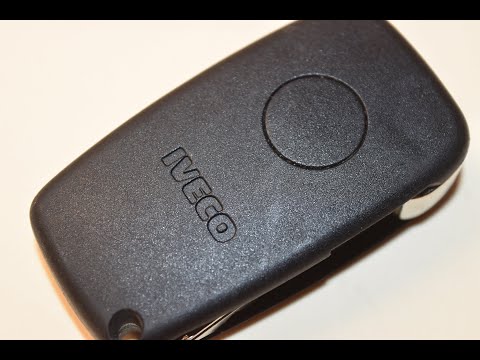
If the key for your Iveco Daily has stopped working and you want to replace the battery yourself, simply read the following guide carefully and follo…
Other guides you may be interested in
|
How to Activate the Disabled TRC on the Toyota Yaris?
As the video clearly shows, disabling or activating the traction control (TRC or ESP) on the Toyota Yaris is very simple. By default, the traction system activates every time the vehicle is started. To disable it, simply press the button depicting a skidding car located in the centre of the vehicle where the controls are, such as the hazard lights and the radio, but near the handbrake. Once disabled, the TRC off light will illuminate on the dashboard. To reactivate it, just press the same button again. by ScegliAuto More videos
|
For advertising on this site Write to info@scegliauto.com
ScegliAuto is not responsible for any inaccuracy of the data in the lists. To report any inaccuracy or your business (if you own the business in question), please write to info@scegliauto.com
Number of seconds to generate the page: 0.079
(c) ScegliAuto 2026 - info@scegliauto.com - Privacy policy VAT number: IT01247470535 |
