
|
Do it yourself
| |||
| ||||


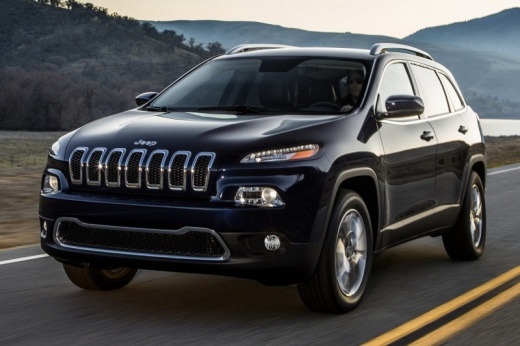
How to solve the "key not detected" warning on a Jeep Cherokee.
Model: Jeep Cherokee
KL, MK 5
- Years:
2013, 2014, 2015, 2016, 2017, 2018, 2019, 2020, 2021, 2022, 2023
Video tutorial
Let's see how to solve the "key not detected" issue on a Jeep Cherokee, Compass, or Renegade with keyless entry. The most common cause is a dead remote battery. We should also check for nearby electromagnetic interference, such as nearby repeaters. Another reason could be a damaged RF repeater (located in the rear hatch). Low voltage from the car battery can also affect the electronics; we shouldn't overlook a malfunctioning remote either. To start the car, you can press the remote directly against the start button, keeping the logo facing the button. If it works, the remote battery is simply depleted, and we should immediately replace the CR2032 button battery. Let's check the RF receiver, which is located in the left rear pillar; bring the remote to that area and try starting from there. If it works, the antenna might be faulty, or there could be interference inside the cabin. Resetting the electronic system by disconnecting the car battery for 15 minutes might also solve the problem. We should also check the charge status of the 12V battery. If nothing works, try using the second remote.
Posted on 2 January 2026 by ScegliAuto
Related tutorials
Jeep Cherokee
(2008-2012 /
MK 4, KK)
Resetting the service light on a Jeep Cherokee model WK is a simple and quick operation that you can do yourself. To reset the light, press the brake…
Jeep Cherokee
(2002-2007 /
MK 3, KJ)
Today, you will learn how to reset the tyre pressure light on a 2006 Jeep Cherokee, second series. Before performing the operation, ensure that any i…
Jeep Cherokee
(2013-2023 /
KL, MK 5)
In this mini guide dedicated to your 2015 Jeep Cherokee, discover how to manually reset the service light that appears on the dashboard. First, press…
Other guides you may be interested in
|
How to reset the tyre pressure warning light on the Kia Niro EV?
To reset the tyre pressure warning light on the Kia Niro EV, inflate the tyres until they reach the correct pressure value. This value is indicated on the sticker attached to the driver's door pillar. Once the tyres are inflated, turn on the instrument cluster to check that the warning light has completely disappeared from the display. If it is still present, you may need to drive for a few miles to ensure it disappears completely from the screen. by ScegliAuto More videos
|
|
For advertising on this site Write to info@scegliauto.com
ScegliAuto is not responsible for any inaccuracy of the data in the lists. To report any inaccuracy or your business (if you own the business in question), please write to info@scegliauto.com
Number of seconds to generate the page: 0.109
(c) ScegliAuto 2026 - info@scegliauto.com - Privacy policy VAT number: IT01247470535 |
