
|
Do it yourself
| |||
| ||||



How to Reset the Service Light on Jeep Compass
Model: Jeep Compass
552, MK 2
- Years 2016-2025
Video tutorial
To reset the service light on the Jeep Compass, get in the vehicle and press the ignition button once without starting the engine, which will turn on the instrument cluster. Wait for the vehicle information to appear on the dashboard display. Then, fully press the accelerator pedal to the floor and release it, repeating this operation three times within a few seconds. After the third press, press the ignition button again to turn off the instrument cluster. Wait a few seconds and turn the cluster back on without starting the engine to check the display. If the procedure was executed correctly, the maintenance light or oil change warning will no longer be visible on the instrument cluster.
Posted on 7 October 2026 by ScegliAuto
Related tutorials
Jeep Compass
(2006-2016 /
MK 1, MK 49)
If you don't know how to safely and quickly reset the service light on your Jeep Compass, don't worry; just follow the instructions in this mini guid…

Jeep Compass
(2016-2025 /
552, MK 2)
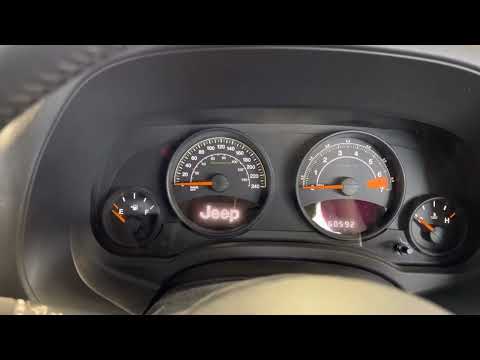
In this video, you will see how to reset the service light on a Jeep Compass MK2: the reset procedure does not involve pressing buttons on the dashbo…
Jeep Compass
(2006-2016 /
MK 1, MK 49)
In this guide for 2014 Jeep Compass owners, you will discover a simple yet effective method to manually reset the service light without using any dia…
Other guides you may be interested in
|
Frequently Asked QuestionsHow to Set the Time and Date on a Citroen C3 Picasso
Setting the time and date on a Citroen C3 Picasso is very straightforward. First, turn on the vehicle and press the Menu button on the radio to access the car settings. Press the arrow button to scroll through the menu and select the "TIME" option. Set the hours and press the OK button. Next, adjust the minutes. Once completed, proceed to set the date. Select the "DATE" option and use the same buttons to set the date. Finally, switch off the instrument panel and restart it to verify the new time and date settings. by ScegliAuto More videos
|
|
For advertising on this site Write to info@scegliauto.com
ScegliAuto is not responsible for any inaccuracy of the data in the lists. To report any inaccuracy or your business (if you own the business in question), please write to info@scegliauto.com
Number of seconds to generate the page: 0.109
(c) ScegliAuto 2026 - info@scegliauto.com - Privacy policy VAT number: IT01247470535 |
