
|
Do it yourself
| |||
| ||||


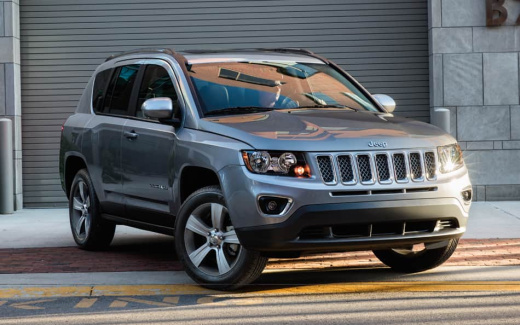
How to Open and Close the Mopar Fuel Cap on a Jeep Compass
Model: Jeep Compass
552, MK 2
- Years:
2016, 2017, 2018, 2019, 2020, 2021, 2022, 2023, 2024, 2025
Video tutorial
In this video, learn how to open and close the Mopar fuel cap on a Jeep Compass: it may seem trivial, but many users have found it challenging, especially at first, as it appears to require a specific procedure. Remove the key from the cap and insert it into its housing. Turn it clockwise, making several clicks, until the lock is horizontal. Insert the key and turn it counter-clockwise: pull the cap towards you, and it will come off easily. Always remember to remove the key when replacing it.
Updated on 16 September 2026 by ScegliAuto
Related tutorials
Jeep Compass
(2016-2025 /
552, MK 2)
To open the fuel cap of a Jeep Compass, first ensure that the vehicle's locks are unlocked. Then, press on the end of the cap and lift it upwards. Th…

Jeep Compass
(2016-2025 /
552, MK 2)
To open the fuel filler cap on the Jeep Compass from the outside is a straightforward operation. Go to the rear right side of the vehicle; to open th…

Jeep Compass
(2016-2025 /
552, MK 2)
The fuel tank is adjacent to the AdBlue tank in the Jeep Compass, so the video guide below is applicable to both. When we need to refuel, it will be …
Other guides you may be interested in
|
How to Remove the Toll Tag Holder from the Car Windscreen
The toll tag holder is usually attached to the car windscreen to ensure that the toll tag functions immediately when passing through barriers. However, if you decide to remove the holder, you should follow this procedure: - Insert the toll tag into the holder; - Pull the holder inwards to detach it from the windscreen; you can use a glass scraper or a stiff plastic card to assist you; After removing the holder, it is essential to remove the adhesive from the windscreen. To remove the adhesive, we recommend using a solvent-based spray that will remove the glue without clouding the area. by ScegliAuto More videos
|
|
For advertising on this site Write to info@scegliauto.com
ScegliAuto is not responsible for any inaccuracy of the data in the lists. To report any inaccuracy or your business (if you own the business in question), please write to info@scegliauto.com
Number of seconds to generate the page: 0.114
(c) ScegliAuto 2026 - info@scegliauto.com - Privacy policy VAT number: IT01247470535 |
