
|
Do it yourself
| |||
| ||||


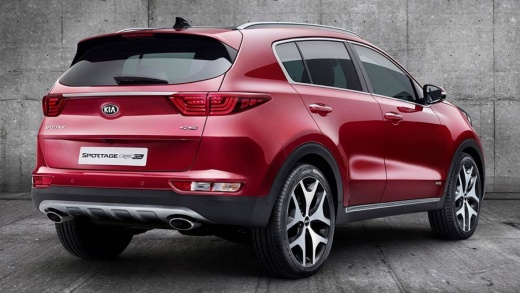
What is the fuse layout of the KIA Sportage?
Model: Kia Sportage
QL, MK 4
- Years:
2016, 2017, 2018, 2019, 2020, 2021, 2022
Video tutorial
In this video, we can see where the fuse boxes of the KIA Sportage are located and what their respective schematics are, useful in case we need to check the fuses of a malfunctioning device. We find the first box inside the cabin, behind the small door located in the lower left area of the dashboard, on the driver's side. The second box is instead located inside the engine compartment, protected by the black plastic cover next to the battery. Make sure to replace faulty fuses with replacements of equivalent specifications.
Posted on 20 July 2025 by ScegliAuto
Related tutorials
Kia Sportage
(2010-2016 /
MK 3, SL)
The video linked to this review covers the exact fuse diagram for our Kia Sportage and also shows where the fuse box is located. Fuses are designed t…

Kia Sportage
(2021-2026 /
MK 5, NQ5)
If some devices in our KIA Sportage have suddenly stopped working, we can first check the status of the corresponding fuses, whose diagrams are indic…

Kia Sportage
(2004-2010 /
MK 2, KM)
In this video we can see where the fuse boxes of the KIA Sportage are located, useful in case we need to check the fuses of a malfunctioning device. …
Other guides you may be interested in
|
Frequently Asked QuestionsHow to reset the tyre pressure warning light on the Kia Niro EV?
To reset the tyre pressure warning light on the Kia Niro EV, inflate the tyres until they reach the correct pressure value. This value is indicated on the sticker attached to the driver's door pillar. Once the tyres are inflated, turn on the instrument cluster to check that the warning light has completely disappeared from the display. If it is still present, you may need to drive for a few miles to ensure it disappears completely from the screen. by ScegliAuto More videos
|
|
For advertising on this site Write to info@scegliauto.com
ScegliAuto is not responsible for any inaccuracy of the data in the lists. To report any inaccuracy or your business (if you own the business in question), please write to info@scegliauto.com
Number of seconds to generate the page: 0.164
(c) ScegliAuto 2026 - info@scegliauto.com - Privacy policy VAT number: IT01247470535 |
