
|
Do it yourself
| |||
| ||||


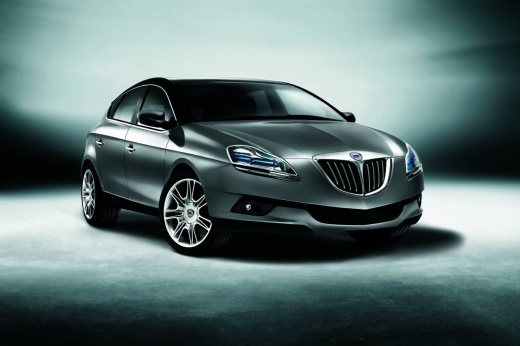
Reinstalling the Headlining on a Lancia Delta
Model: Lancia Delta
MK 3
- Years:
2008, 2009, 2010, 2011, 2012, 2013, 2014
This video is currently unavailable
In this video tutorial, you will learn how to reinstall the headlining of a Lancia Delta. First, insert the largest piece from the rear of the car, as shown in the video. Then, fit the locking hook at the back and move to the front, securing it at the ends (there are also clips to pass through the appropriate holes). Now, fit the headlining from all the side sections and the central position, ensuring the panels are properly inserted. Follow the video to the end to understand the assembly!
Updated on 30 March 2026 by ScegliAuto
Related tutorials
Lancia Delta
(2008-2014 /
MK 3)
How do you remove the headlining of a Lancia Delta? Start by removing the side handles of the headlining with a screwdriver, then take off the sun vi…

Lancia Delta
(2008-2014 /
MK 3)
In this mini guide, discover where the fuse box containing all the various fuses in your Lancia Delta Mk3 is located. First, ensure the vehicle is tu…

Lancia Delta
(2008-2014 /
MK 3)
To reset the Service light on a Lancia Delta, connect a diagnostic tool to the vehicle's OBD port, located on the dashboard just below the steering c…
Other guides you may be interested in |
How to reset the tyre pressure warning light on the Kia Niro EV?
To reset the tyre pressure warning light on the Kia Niro EV, inflate the tyres until they reach the correct pressure value. This value is indicated on the sticker attached to the driver's door pillar. Once the tyres are inflated, turn on the instrument cluster to check that the warning light has completely disappeared from the display. If it is still present, you may need to drive for a few miles to ensure it disappears completely from the screen. by ScegliAuto More videos
|
|
For advertising on this site Write to info@scegliauto.com
ScegliAuto is not responsible for any inaccuracy of the data in the lists. To report any inaccuracy or your business (if you own the business in question), please write to info@scegliauto.com
Number of seconds to generate the page: 0.016
(c) ScegliAuto 2026 - info@scegliauto.com - Privacy policy VAT number: IT01247470535 |
