
|
Do it yourself
| |||
| ||||



Replacing the Auxiliary Battery in the Range Rover Evoque
Model: Land Rover Evoque
L538, MK 1
- Years:
2011, 2012, 2013, 2014, 2015, 2016, 2017, 2018
Video tutorial
Let's see how to replace the auxiliary battery in the Range Rover Evoque. Start by removing the air intake of the filter, secured with two screws; then remove the stabilizer bar, also secured with screws. Next, remove the windshield wipers using a 15mm wrench and a penetrating oil. You can then remove the plastic panel, after taking out the securing screws, which serves as the lower trim for the windshield. Once this is done, you can access the auxiliary battery on the left side, which you will remove by unscrewing the securing screws and disconnecting the terminals. Install the new battery and reverse the steps to complete the process.
Updated on 24 August 2026 by ScegliAuto
Related tutorials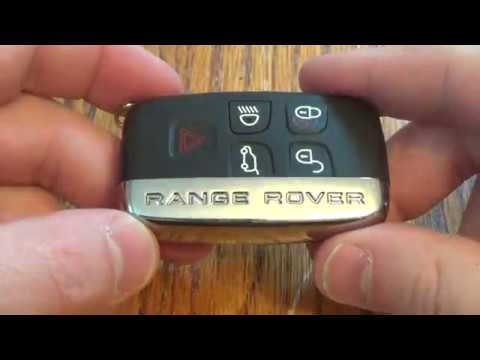
Land Rover Evoque
(2011-2018 /
L538, MK 1)
In this video, you will see how to disassemble and replace the battery of the key fob for a Land Rover Range Rover Sport, as well as the standard Ran…

Land Rover Evoque
(2011-2018 /
L538, MK 1)
Is it time to replace the battery in your Range Rover Evoque? Let's go through the replacement process. Open and lift the hood by releasing the latch…
Land Rover Evoque
(2011-2018 /
L538, MK 1)
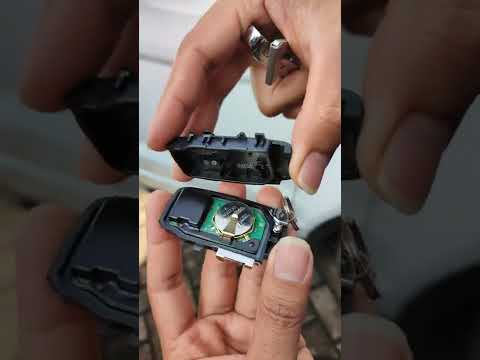
In this new mini guide dedicated to the Range Rover Evoque Mk1, you will learn how to properly replace the key battery. The entire operation can be e…
Other guides you may be interested in
|
Frequently Asked QuestionsHow to Reset the Tire Pressure Light on a MG ZS?
On the instrument cluster of the MG ZS, the tire pressure light that appears can be reset by inflating the tires to the correct pressure: this value will be indicated on the sticker attached to the driver's door pillar. Once the tires have been properly inflated, you can turn on the instrument cluster and navigate through the menu until you find the option that indicates tire pressure: if this screen shows the new values, the light will turn off; otherwise, you will need to drive for a few miles so that the sensors can read the new values and turn off the light afterward. by ScegliAuto More videos
|
|
For advertising on this site Write to info@scegliauto.com
ScegliAuto is not responsible for any inaccuracy of the data in the lists. To report any inaccuracy or your business (if you own the business in question), please write to info@scegliauto.com
Number of seconds to generate the page: 0.063
(c) ScegliAuto 2026 - info@scegliauto.com - Privacy policy VAT number: IT01247470535 |
