
|
Do it yourself
| |||
| ||||


How to Charge the Levc TX Electric Vehicle
Model: LEVC Tx
MK 1
- Years 2017-2024
The London Electric Vehicle Company (LEVC), a British company owned by Chinese Geely since 2014, has truly made a 'silent' revolution, replacing more than a third of traditional London cabs with the modern electrified TX model, which has sold 5,000 units in the British capital since 2018. The TX features a lightweight aluminum body and benefits from LEVC's eCity range extender powertrain. This revolutionary technology allows the taxi to travel up to 62 miles on a fully electric mode using a 31 kWh battery. In addition to charging options, the TX offers unprecedented flexibility by allowing the use of the internal combustion engine to recharge the battery, achieving a total range of 317 miles with a 99.5% reduction in NOx emissions. To charge the vehicle, connect the plug-in socket located at the front left of the car to the charging station. Wait for the green light to start flashing, indicating that charging has begun, and then check the charging status on the display of the charging station.
Updated on 7 July 2026 by ScegliAuto
Video tutorial
Related tutorials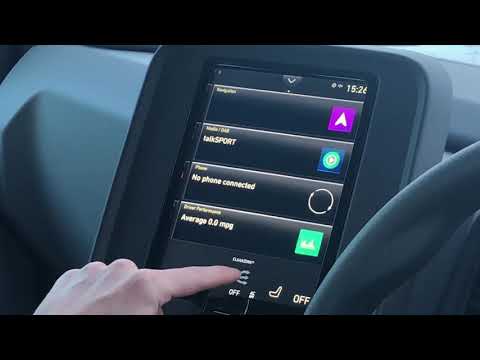
LEVC Tx
(2017-2024 /
MK 1)
To set up preconditioning for the Levc TX while it is connected to a charging station, use the display located in the center of the instrument panel.…

LEVC Tx
(2017-2024 /
MK 1)
The TX is powered by an electric drive motor with a rechargeable battery that has a range of about 62 mi and a 1.5 turbo gasoline engine that acts as…

LEVC Tx
(2017-2024 /
MK 1)
The London Taxi Company has changed its name to London EV Company (LEVC), revamped its brand, and introduced the new electric taxi TX. The new "cab" …
Other guides you may be interested in
|
How to Bleed the Clutch on a Renault Clio?
To bleed the clutch on a Renault Clio, open the bonnet to access the components located in the engine bay: here, you will need to undo the screws that secure the battery in its housing, the intake manifold, and the coolant reservoir. This will allow you to locate the pipe through which the brake fluid flows: by inserting the other end of the pipe into a container, you can press the clutch pedal to expel all the fluid until it fills the container. by ScegliAuto More videos
|

|
For advertising on this site Write to info@scegliauto.com
ScegliAuto is not responsible for any inaccuracy of the data in the lists. To report any inaccuracy or your business (if you own the business in question), please write to info@scegliauto.com
Number of seconds to generate the page: 0.243
(c) ScegliAuto 2026 - info@scegliauto.com - Privacy policy VAT number: IT01247470535 |
