
|
Do it yourself
| |||
| ||||



Installing Amplifier Power Cable
Model: Lexus IS
MK 2
- Years:
2005, 2006, 2007, 2008, 2009, 2010, 2011, 2012, 2013
This video is currently unavailable
If you decide to install an aftermarket audio system that requires an amplifier, it is essential to power the amplifier directly from the battery using an appropriately sized cable and applying a noise filter. This involves routing the cable from the battery to the rear boot through the cabin, concealing it properly. First, remove the battery and access the grommet to enter the cabin; then remove the panel under the glove compartment, the passenger side scuff plate, and the rear seats to hide the cable until you reach the rear boot. Once the cable is in place, connect it to the battery, applying the noise filter.
Updated on 16 February 2026 by ScegliAuto
Related tutorials
Lexus IS
(2013-2024 /
MK 3)
The audio system in modern cars can already be considered of good quality, especially if the manufacturer offers an upgrade option with solutions lik…
Lexus IS
(2005-2013 /
MK 2)
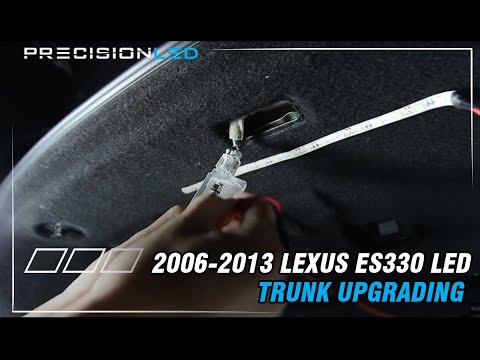
Installing an LED strip in the boot will certainly improve visibility. Essentially, you need to identify where to attach the strip and power it. The …
Lexus IS
(2013-2024 /
MK 3)
If you want to improve your car's performance, you should not focus solely on the engine's performance, but also consider other aspects such as stabi…
Other guides you may be interested in
|
How to Open the Fuel Filler Flap in the Hyundai i30?
In this tutorial, you will learn how to open the fuel filler flap in the Hyundai i30, a very simple operation that follows the typical procedure of most vehicles. First, unlock the locks using the designated button on the remote, then open the driver's door, locate the release lever on the left side of the seat, and operate it. Next, move to the fuel filler flap, open it completely, unscrew the cap, and refuel as needed. To close the flap, simply press it gently. by ScegliAuto More videos
|
|
For advertising on this site Write to info@scegliauto.com
ScegliAuto is not responsible for any inaccuracy of the data in the lists. To report any inaccuracy or your business (if you own the business in question), please write to info@scegliauto.com
Number of seconds to generate the page: 0.054
(c) ScegliAuto 2026 - info@scegliauto.com - Privacy policy VAT number: IT01247470535 |
