
|
Do it yourself
| |||
| ||||


How to Reset the Maintenance Light on the Lexus SC 430
Model: Lexus SC
Z40
- Years 2001-2010
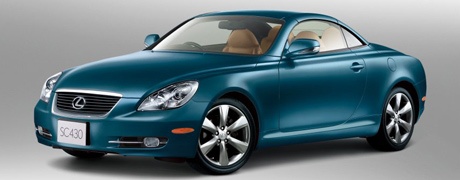
In this mini guide for your 2009 Lexus SC 430, you will learn how to correctly perform the manual reset of the maintenance light that illuminates on the instrument panel. First, enter your car and reach the driver's seat, then locate the two buttons "Odo/Trip" and "Reset" on the left side of the dashboard and press them simultaneously. Turn on the instrument panel of your Lexus SC 430 and wait a few seconds. Finally, release both buttons as soon as the maintenance light turns off.
Updated on 8 August 2026 by ScegliAuto
Video tutorial
Related tutorials
Lexus SC
(2001-2010 /
Z40)
Let's briefly go over the main instructions on how to disassemble and replace the alternator of the Lexus SC 430. First, we open the hood of the vehi…

Lexus SC
(2001-2010 /
Z40)
To reset the tyre pressure warning light on the Lexus SC430, disconnect the connectors of the tyre pressure sensors. To do this, remove the cover whe…

Lexus SC
(1991-2000 /
Z30)
This is an important guide for those looking to purchase a used Lexus SC430, detailing what to check. The most common issue is the engine light, caus…
Other guides you may be interested in
|
How to Adjust the Brightness of the Instrument Cluster on a Peugeot 3008?
To adjust the brightness of the instrument cluster on a Peugeot 3008, you need to turn on the ignition and access the settings via the menu located in the central area of the dashboard. In the screen that appears, select the "Display Configuration" option: now, by selecting the "Brightness" option, you can adjust it using the dedicated slider that will appear on the screen. The adjustment should be made with the headlights on as well as with them off. Once the adjustment is complete, you can turn off the instrument cluster. by ScegliAuto More videos
|
|
For advertising on this site Write to info@scegliauto.com
ScegliAuto is not responsible for any inaccuracy of the data in the lists. To report any inaccuracy or your business (if you own the business in question), please write to info@scegliauto.com
Number of seconds to generate the page: 0.072
(c) ScegliAuto 2026 - info@scegliauto.com - Privacy policy VAT number: IT01247470535 |
