
|
Do it yourself
| |||
| ||||


How to set the time of Maxus Deliver 3
Model: Maxus Maxus Various
If you want to manually change the time shown on the on-board computer display of your Maxus Deliver 3, all you have to do is put the following instructions into practice. First, turn on the instrument panel without starting the engine as well. Then locate the button to the right of the speedometer and hold it down for about two seconds. As soon as the hour digits start flashing, press the same button several times to change the digit. When finished, hold it down for another two seconds to move to the minute digits. Once finished you just have to hold it down one last time to save the changes.
Posted on 3 May 2022 by ScegliAuto
Video tutorial
Related tutorials
Maxus Maxus Various
If you want to manually set the time displayed in the system of your Maxus LDV Deliver 9 then all you have to do is put into practice the following i…

Maxus Maxus Various
In this tutorial we can see how to adjust the time in the Maxus Deliver 9 van, an extremely simple and fast operation, to be carried out for example …

Maxus Maxus Various
If the AdBlue warning light in the instrument panel of our Maxus Deliver 9 van has turned on, it means that the pollution control system liquid has r…
Other guides you may be interested in
|
Replacing the External Mirror of a Volkswagen Golf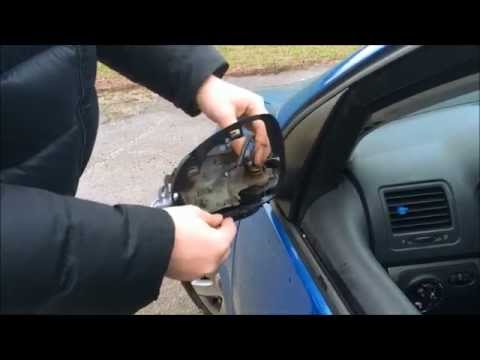
How to replace the external mirror of a Volkswagen Golf? Follow this video to proceed. Using a plastic or rubber lever, pry between the perimeter of the mirror frame and the mirror glass. Pry until the glass detaches from the mirror; this is a delicate operation as the glass or the mirror itself may break. Once the damaged mirror is removed, unscrew the round plastic plate with a screwdriver, and replace it with the new one. Ensure the plastic clips engage in the mirror supports. Use the same procedure to remove the indicator. by ScegliAuto More videos
|
|
For advertising on this site Write to info@scegliauto.com
ScegliAuto is not responsible for any inaccuracy of the data in the lists. To report any inaccuracy or your business (if you own the business in question), please write to info@scegliauto.com
Number of seconds to generate the page: 0.050
(c) ScegliAuto 2026 - info@scegliauto.com - Privacy policy VAT number: IT01247470535 |
