
|
Do it yourself
| |||
| ||||


How to replace the fog light bulbs on a Mazda 3
Model: Mazda 3
BK, MK 1
- Years:
2003, 2004, 2005, 2006, 2007, 2008, 2009
Video tutorial
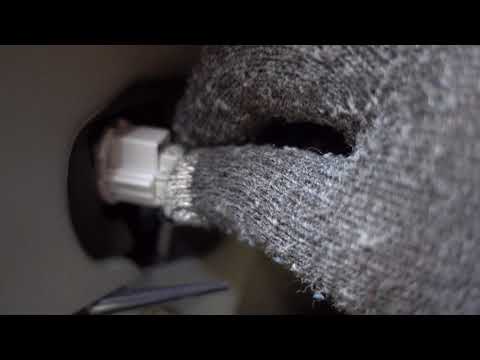
In this video, we see how to change the fog light bulb of a Mazda 3 MK1: we cannot remove it from the front, but we have to work from underneath, removing the panel held by the three screws shown in the video. By loosening this panel, we can access the fog light from the back of the bumper. Disconnect the electrical connector, and rotate the bulb holder of the bulb we intend to replace a quarter turn counterclockwise. Replace the bulb with a new one, being careful not to touch the bulb with bare hands, and put it back in place, giving it a quarter turn clockwise. Reconnect the electrical connector, put back the screws holding the panel in place, and we're done.
Posted on 2 February 2025 by ScegliAuto
Related tutorials
Mazda 3
(2009-2013 /
BL, MK 2)
.. In this video we see how to replace the fog light bulbs on a Mazda 3 MK2: for example, if we are working on the left fog light,.. …
Mazda 3
(2009-2013 /
BL, MK 2)
Change the blown bulbs inside the boot from which you access the rear light of a Mazda 3. Use a screwdriver to remove the plastic panel covering the …

Mazda 3
(2013-2019 /
BM, BN, MK 3)
The instructions in this guide will allow you to remove and replace the dipped beam bulb of the front headlight of the Mazda 3. First, open the bonne…
Other guides you may be interested in
|
How to Open the Fuel Filler Flap in the Hyundai i30?
In this tutorial, you will learn how to open the fuel filler flap in the Hyundai i30, a very simple operation that follows the typical procedure of most vehicles. First, unlock the locks using the designated button on the remote, then open the driver's door, locate the release lever on the left side of the seat, and operate it. Next, move to the fuel filler flap, open it completely, unscrew the cap, and refuel as needed. To close the flap, simply press it gently. by ScegliAuto More videos
|
|
For advertising on this site Write to info@scegliauto.com
ScegliAuto is not responsible for any inaccuracy of the data in the lists. To report any inaccuracy or your business (if you own the business in question), please write to info@scegliauto.com
Number of seconds to generate the page: 0.060
(c) ScegliAuto 2026 - info@scegliauto.com - Privacy policy VAT number: IT01247470535 |
