
|
Do it yourself
| |||
| ||||


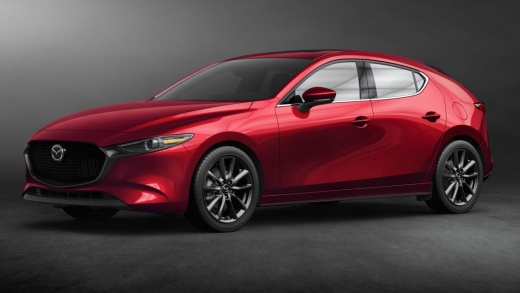
How to Reset the Service Light on a Mazda 3?
Model: Mazda 3
MK 4, BP
- Years:
2019, 2020, 2021, 2022, 2023, 2024, 2025, 2026
Video tutorial
In this tutorial, you will see how to reset the service light on a Mazda 3, a very simple and quick operation to be performed only after completing all scheduled maintenance tasks. First, enter the cabin, then insert the key and turn on the ignition. Next, access the general menu on the central display, go to "Information", "Vehicle Status Monitor", "Vehicle Maintenance Settings", select "Reset Oil Change Distance" and confirm your choice. To complete the procedure, simply restart the ignition.
Posted on 12 June 2026 by ScegliAuto
Related tutorials
Mazda 3
(2013-2019 /
BN, MK 3, BM)
.. In today's video tutorial, we will see how to reset the service light on a Mazda 3, third series model produced from 2013 to 2019. We start.. …
Mazda 3
(2013-2019 /
BN, MK 3, BM)
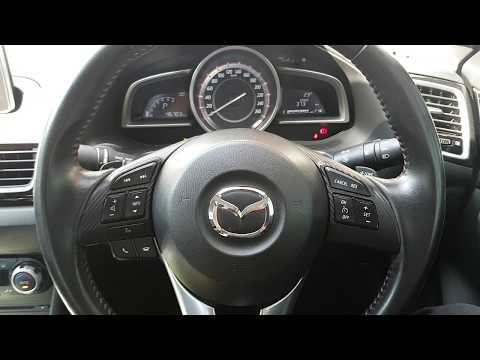
As shown in this tutorial, resetting the service light on a Mazda 3 is a very simple and quick operation. Before proceeding, ensure all maintenance t…

Mazda 3
(2013-2019 /
BN, MK 3, BM)
When the service light comes on in the instrument cluster of your Mazda 3, it indicates that the engine oil, along with the oil filter, needs to be c…
Other guides you may be interested in
|
Location of the Jack and Spare Wheel of the Toyota Yaris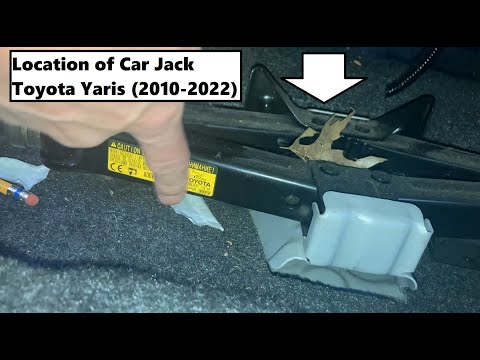
In the unfortunate event that one of the wheels of the Toyota Yaris is punctured, it is useful to know the location of the lifting jack, the spare wheel, the tool to operate the jack, and to unscrew the wheel bolts. The jack is located under the driver's seat, secured to a bracket and protected by a plastic cover, which you can remove by acting on the fixing clips. The spare wheel is located under the floor panel of the boot, secured to the floor by a threaded plastic flange, alongside which you will find the tool, consisting of a bent bar, which is used to operate the jack on one side and to remove the wheel on the other. by ScegliAuto More videos
|
|
For advertising on this site Write to info@scegliauto.com
ScegliAuto is not responsible for any inaccuracy of the data in the lists. To report any inaccuracy or your business (if you own the business in question), please write to info@scegliauto.com
Number of seconds to generate the page: 0.140
(c) ScegliAuto 2026 - info@scegliauto.com - Privacy policy VAT number: IT01247470535 |
