
|
Do it yourself
| |||
| ||||


Removing Cooling Fan Control Unit
Model: Mazda Cx 7
MK 1
- Years 2006-2012
Each of the two fans is controlled by an electronic module, essentially a control unit. A malfunction in one of the fans could be caused by one of these components. Locating them is quite simple. One of the modules is situated just below the bonnet catch on the right side. To locate the second, you need to remove the plastic cover above the engine by taking out the two clips with the appropriate tool. The modules are secured with two screws positioned diagonally. Once the screws are removed, press the tab to disconnect the respective electrical connectors. Car model: Mazda CX-7
Required tools: 7 mm socket wrench, clip removal tool, flathead screwdriver.
Updated on 22 February 2026 by ScegliAuto
Video tutorial
Related tutorials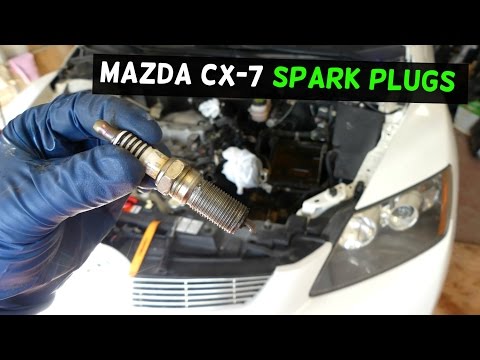
Mazda Cx 7
(2006-2012 /
MK 1)
Open the bonnet of the engine compartment. Remove the plastic cover that protects the engine block. To do this, you need to remove two clips at the f…
Mazda Cx 7
(2006-2012 /
MK 1)
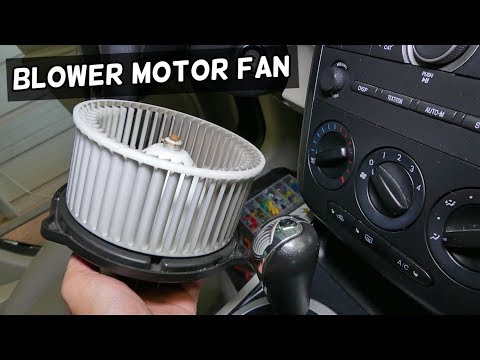
Removing the cabin heating fan on the Mazda CX-7 is a very simple operation. Let's see how to proceed in this tutorial. Start by removing the cover u…
Mazda Cx 7
(2006-2012 /
MK 1)
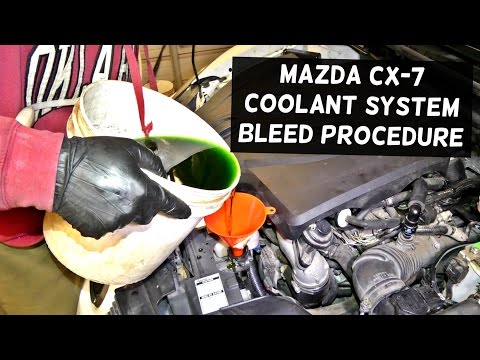
When filling the engine cooling system, it is important to use the correct antifreeze mixture: ready-to-use mixtures are available commercially or co…
Other guides you may be interested in
|
How to Bleed the Clutch on a Renault Clio?
To bleed the clutch on a Renault Clio, open the bonnet to access the components located in the engine bay: here, you will need to undo the screws that secure the battery in its housing, the intake manifold, and the coolant reservoir. This will allow you to locate the pipe through which the brake fluid flows: by inserting the other end of the pipe into a container, you can press the clutch pedal to expel all the fluid until it fills the container. by ScegliAuto More videos
|
|
For advertising on this site Write to info@scegliauto.com
ScegliAuto is not responsible for any inaccuracy of the data in the lists. To report any inaccuracy or your business (if you own the business in question), please write to info@scegliauto.com
Number of seconds to generate the page: 0.079
(c) ScegliAuto 2026 - info@scegliauto.com - Privacy policy VAT number: IT01247470535 |
