
|
Do it yourself
| |||
| ||||


How to remove the AdBlue warning light in the Mercedes GL?
Model: Mercedes Gl
X166, MK 2
- Years 2012-2019
If the AdBlue warning light comes on in the instrument panel of our Mercedes GL, it means that the liquid in the anti-pollution system needs to be topped up as it has reached the minimum level. This is a very simple and quick operation, let's see how to proceed in this tutorial. First of all, we buy a canister of urea at any auto parts store, then make sure the engine is off and open the trunk lid. Then lift the bottom panel, open the indicated cap, and pour the necessary amount of liquid through the hole to reach the maximum level.
Posted on 21 August 2024 by ScegliAuto
Video tutorial
Related tutorials
Mercedes Gl
(2012-2019 /
X166, MK 2)
If the AdBlue warning light has come on in the instrument panel of our Mercedes GL, it means that the liquid of the anti-pollution system has reached…

Mercedes Gl
(2012-2019 /
X166, MK 2)
If you own a Mercedes GL 350 and want to manually reset the tire pressure warning light that appears erroneously even in the absence of a puncture, a…

Mercedes Gl
(2006-2012 /
MK 1, X164)
In this simple guide, you will discover the main steps to remove and replace the timing chain on the Mercedes GL 350 with a 3.0 Diesel engine. First,…
Other guides you may be interested in
|
How to change the time on a Toyota Yaris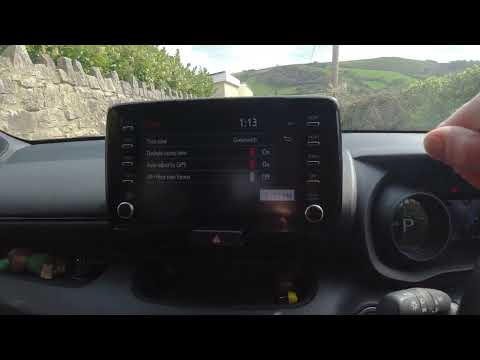
In this video we see how to change the time on a Toyota Yaris, specifically when it comes to switching from daylight saving time to standard time and vice versa. We go to the multifunction screen and press "settings": from there we go to press the clock, simply click on daylight saving time, and the clock will change the time for us, without doing anything else. All we want to do is just adjust the time format to 12 or 24 hours, as is customary in the area where we live: for example in Anglo-Saxon countries it is common to set the time to 12 hours, while in the European Union it is normally set to 24 hours. by ScegliAuto More videos
|

|
For advertising on this site Write to info@scegliauto.com
ScegliAuto is not responsible for any inaccuracy of the data in the lists. To report any inaccuracy or your business (if you own the business in question), please write to info@scegliauto.com
Number of seconds to generate the page: 0.106
(c) ScegliAuto 2026 - info@scegliauto.com - Privacy policy VAT number: IT01247470535 |
