
|
Do it yourself
| |||
| ||||


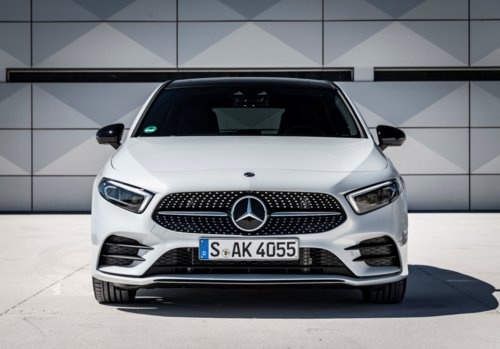
How to Install a Phone Holder for Mercedes A-Class W177 and CLA/GLA
Model: Mercedes Classe A
W177
- Years:
2018, 2019, 2020, 2021, 2022, 2023, 2024, 2025, 2026
Video tutorial
In this video, we will see how to install an ideal phone holder for Mercedes W177 as well as for Mercedes CLA/GLA. You can find it on Amazon with the code B082SLVZ4B for $18.99, with free shipping for Prime customers, suitable for most major brand smartphones available today. The installation, as shown in the video, is very simple: just attach the support part between the two central air vents and then apply the smartphone support part (which will allow you to rotate the phone screen as needed) onto the holder so you can see it well in any lighting condition.
Updated on 28 October 2026 by ScegliAuto
Related tutorials
Mercedes Classe A
(2018-2026 /
W177)
In this video, we see how to remove the rear seat of a Mercedes A-Class or B-Class, or a CLA or GLA: first, we lower the backrest, remove the 17 hexa…

Mercedes Classe A
(2018-2026 /
W177)
In this video we can see how to solve the problem of the SRS warning light on the Mercedes A-Class W177, B-Class W247, and CLA W118. In this case, fa…

Mercedes Classe A
(2018-2026 /
W177)
If the key for your new Mercedes-Benz A-Class W177 has suddenly stopped working, you need to replace the button cell battery inside. This is a simple…
Other guides you may be interested in |
Frequently Asked QuestionsHow to Reset the Tire Pressure Light on a MG ZS?
On the instrument cluster of the MG ZS, the tire pressure light that appears can be reset by inflating the tires to the correct pressure: this value will be indicated on the sticker attached to the driver's door pillar. Once the tires have been properly inflated, you can turn on the instrument cluster and navigate through the menu until you find the option that indicates tire pressure: if this screen shows the new values, the light will turn off; otherwise, you will need to drive for a few miles so that the sensors can read the new values and turn off the light afterward. by ScegliAuto More videos
|
|
For advertising on this site Write to info@scegliauto.com
ScegliAuto is not responsible for any inaccuracy of the data in the lists. To report any inaccuracy or your business (if you own the business in question), please write to info@scegliauto.com
Number of seconds to generate the page: 0.014
(c) ScegliAuto 2026 - info@scegliauto.com - Privacy policy VAT number: IT01247470535 |
