
|
Do it yourself
| |||
| ||||



How to replace the car battery and preserve the computer memory
Model: Mercedes Gla
W156, MK 1
- Years:
2013, 2014, 2015, 2016, 2017, 2018, 2019
Video tutorial
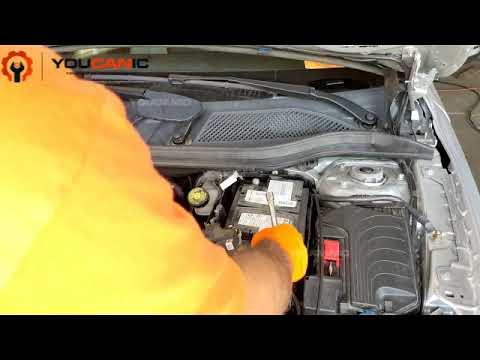
In this video, we are explained how to change the car battery without losing all personal settings: For this demonstration, a Mercedes GLA 250 is used, but the method is similar for all vehicles, especially high-end ones. What do we need to do to prevent these vehicles, which have many computers - which will then need to be reprogrammed - from losing their power source? Provide them with a jump box that can buffer the temporary lack of battery. We can find a booster of this type, for example, on Amazon with the code B015TKUPIC at a price of 113.17 euros, free delivery for Prime customers. It is very important not to start the car when it is connected to the booster, because the cables are very thin, and they only serve to keep the circuits active, or to restart the car if the battery is discharged. We attach the plug to the cigarette lighter, turn on the booster, and now we can disconnect the battery in complete safety; if we want, we can attach the red alligator clip to the bolt near the positive terminal, and the black one to the piece of metal near the negative terminal. We remove the battery and when we put it back we can disconnect the booster.
Posted on 29 June 2025 by ScegliAuto
Related tutorials
Mercedes Gla
(2013-2019 /
W156, MK 1)
In this tutorial we can see how to replace the auxiliary battery in the Mercedes GLA, a very simple and quick operation. First of all, make sure that…
Mercedes Gla
(2013-2019 /
W156, MK 1)
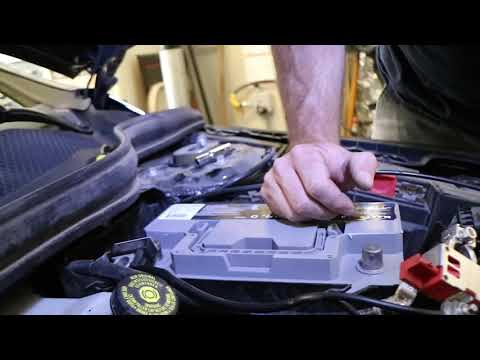
As shown in this tutorial, replacing the battery in a Mercedes GLA is a very simple and quick operation. First, ensure the key is not inserted for sa…
Mercedes Gla
(2013-2019 /
W156, MK 1)
Before you begin, open the front bonnet of your Mercedes GLA 180. Start by unclipping and removing the upper battery cover. Next, unclip and remove t…
Other guides you may be interested in
|
Frequently Asked QuestionsHow to Remove the Rear Seat of a Hyundai Tucson?
To remove the rear seat of a Hyundai Tucson, follow these steps. Start by moving the front seats to their most forward position to gain space. Next, locate the release lever on the underside of the rear seat, near the floor. Press this lever down while pulling the seat upwards to unlock it from the anchor pins. Once unlocked, tilt the seat upwards and forwards to remove it from its position. Repeat this process for both sides of the rear seat. Be careful of any electrical cables or components that may be connected to the seat during removal. Once the rear seat is removed, the disassembly is complete. by ScegliAuto More videos
|
|
For advertising on this site Write to info@scegliauto.com
ScegliAuto is not responsible for any inaccuracy of the data in the lists. To report any inaccuracy or your business (if you own the business in question), please write to info@scegliauto.com
Number of seconds to generate the page: 1.326
(c) ScegliAuto 2026 - info@scegliauto.com - Privacy policy VAT number: IT01247470535 |
