
|
Do it yourself
| |||
| ||||


How to Install a Backup Camera on a Mercedes C-Class W204
Model: Mercedes Classe C
W204
- Years 2007-2013
Let's see how to install an aftermarket backup camera on the Mercedes C-Class W204: Remove two Torx screws and four dashboard screws, then disconnect the light connector and free the plastic cover. Take out the hazard triangle, then route the cable under the trim and secure it with zip ties. Disconnect the orange clips and the handle screws, remove the cover, and trim the area for the camera. Secure with hot glue, reassemble the original piece, and reinstall the screws and plate. Wire the cable, connect only the positive, and test with reverse. Reattach the clips, triangle, and cover, then reinstall the three final screws. The wiring remains hidden.
Posted on 19 June 2026 by ScegliAuto
Video tutorial
Related tutorials
Mercedes Classe C
(2007-2013 /
W204)
Today with the help of the following video tutorial, we will explain how to install a rearview camera on a 2008 Mercedes C-Class. We start the instal…
Mercedes Classe C
(2007-2013 /
W204)
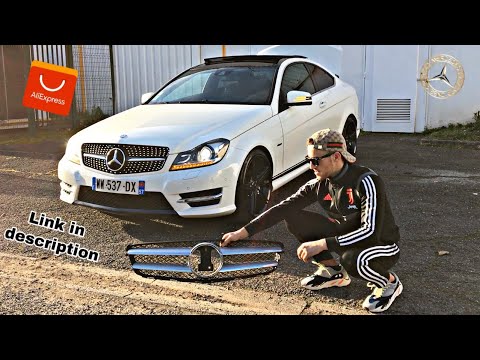
.. how to install a diamond grille on a Mercedes C-Class W204. Unfortunately, we cannot direct you to the part on AliExpress, as links on this e-commerce.. …

Mercedes Classe C
(2007-2013 /
W204)
.. box containing all the fuses of your Mercedes C-Class W204. First of all, you need to raise the front hood of the car in order to have access to the.. …
Other guides you may be interested in
|
How to Open a Stuck Boot on the Peugeot 407?
On the Peugeot 407, the boot may become stuck, possibly due to a problem with the control button or the lock actuator. In such cases, you can perform an emergency opening by following the simple procedure shown in this tutorial. First, open the rear doors, then lower the seat back by operating the release lever. Next, go inside the boot, locate the lock, and manually operate it using a flathead screwdriver. The boot will then be free to open. by ScegliAuto More videos
|
|
For advertising on this site Write to info@scegliauto.com
ScegliAuto is not responsible for any inaccuracy of the data in the lists. To report any inaccuracy or your business (if you own the business in question), please write to info@scegliauto.com
Number of seconds to generate the page: 0.066
(c) ScegliAuto 2026 - info@scegliauto.com - Privacy policy VAT number: IT01247470535 |
