
|
Do it yourself
| |||
| ||||


How to Replace the Remote Battery in a Mercedes C-Class
Model: Mercedes Classe C
W205
- Years 2014-2021
Hold the remote and push the rear notched lever outward to extract the vehicle's security key from the remote. Insert the security key or a small flathead screwdriver into the center of the key housing and carefully disengage the plastic tab that holds the remote cover. Remove the cover and check the model of the installed battery, which is usually a CR2025 3V; push the battery out from the contact by pressing it on the outer side of the remote. Insert the new battery first on the outer side of the remote, then press down in the center to secure it to the contact. Reposition the cover, press to snap it into place, and insert the security key back into its housing.
Updated on 17 May 2026 by ScegliAuto
Video tutorial
Related tutorials
Mercedes Classe C
(2000-2007 /
W203)
.. remote and replace the battery of the Mercedes C-Class key. First, take your remote and start by removing the battery tray by pulling it from the back.. …

Mercedes Classe C
(2007-2013 /
W204)
.. battery in the remote for the 2009 Mercedes C-Class (W204) is quite quick and simple. Start by opening the remote to access the battery compartment... …

Mercedes Classe C
(2007-2013 /
W204)
.. to replace the battery of the Mercedes C-Class remote by sliding the key out from the bottom of the device. Once it has been removed from its.. …
Other guides you may be interested in
|
How to Activate Bluetooth on the BMW 1 Series?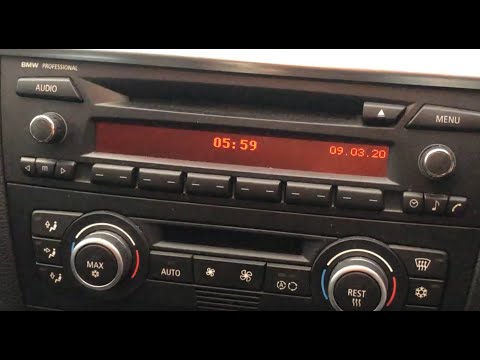
To activate Bluetooth on the BMW 1 Series, turn on the ignition so you can press the MENU button on the central control panel. This will allow you to select the "TEL" option to make the device visible. Then, connect to the radio using your mobile phone, selecting the device called "BMW" followed by a five-digit code. This code must be entered using the radio controls, confirming with OK. After entering and confirming, you will notice that the pairing between the devices has occurred. by ScegliAuto More videos
|
|
For advertising on this site Write to info@scegliauto.com
ScegliAuto is not responsible for any inaccuracy of the data in the lists. To report any inaccuracy or your business (if you own the business in question), please write to info@scegliauto.com
Number of seconds to generate the page: 0.982
(c) ScegliAuto 2026 - info@scegliauto.com - Privacy policy VAT number: IT01247470535 |
