
|
Do it yourself
| |||
| ||||


How to Set the Clock on the Mercedes W211?
Model: Mercedes Classe E
W211
- Years 2002-2009
This vehicle features an analog clock on the instrument panel and a digital clock on the central display of the onboard computer. To adjust both, access the cabin, sit in the driver's seat, and press the "Service" button located to the left of the display, followed by the "System" button on the right side of the display. The time indication will appear at the top of the display. Tap it, then use the up and down arrows to change the hour. Repeat the same procedure to adjust the minutes and press the "OK" button to save.
Updated on 20 May 2026 by ScegliAuto
Video tutorial
Related tutorials
Mercedes Classe E
(2002-2009 /
W211)
Today we will explain how to adjust the time on the display of the instrument panel of the Mercedes E-Class model W211. To perform this operation, we…

Mercedes Classe E
(2002-2009 /
W211)
In this article, we will explain how to adjust the clock of the on-board computer of the Mercedes E-Class W211. No tools are needed for this operatio…
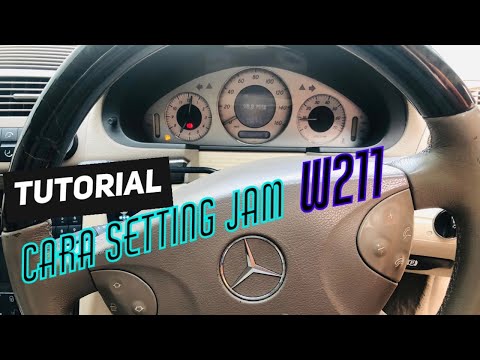
Mercedes Classe E
(2002-2009 /
W211)
To adjust the clock on a Mercedes E-Class, insert the ignition key into the ignition switch to power on the instrument cluster. Once the cluster is o…
Other guides you may be interested in
|
How to reset the tyre pressure warning light on a Hyundai Tucson
Below are the instructions to reset the tyre pressure warning light (TPMS) on a Hyundai Tucson. First, get into the vehicle and turn on the instrument cluster; then navigate to the vehicle settings until you reach the tyre pressure monitor, identifying the tyre with incorrect pressure. At this point, restore all tyre pressures according to the specifications indicated on the label; this will reset the TPMS and the warning light will be cleared from the instrument cluster! by ScegliAuto More videos
|
|
For advertising on this site Write to info@scegliauto.com
ScegliAuto is not responsible for any inaccuracy of the data in the lists. To report any inaccuracy or your business (if you own the business in question), please write to info@scegliauto.com
Number of seconds to generate the page: 0.828
(c) ScegliAuto 2026 - info@scegliauto.com - Privacy policy VAT number: IT01247470535 |
