
|
Do it yourself
| |||
| ||||


How to Remove the On-Board Computer in the Mercedes B-Class?
Model: Mercedes Classe B
W246, MK 2
- Years 2011-2019
Removing the on-board computer from the Mercedes B-Class is a straightforward task. First, locate the holes at the bottom of the air vent grilles. Insert a thin hook into these holes, unlock the clip, and pull the vent towards you with force. Next, unscrew both the newly exposed screws and those securing the display. Remove the display from the dashboard and disengage the entire front trim. At this point, unscrew the final screws and extract the on-board computer from its housing.
Updated on 20 June 2026 by ScegliAuto
Video tutorial
Related tutorials
Mercedes Classe B
(2011-2019 /
W246, MK 2)
.. clock of the onboard computer of the Mercedes B-Class model W 246 is a simple and quick operation to be carried out independently. Turn on the car's.. …

Mercedes Classe B
(2005-2011 /
W245, MK 1)
.. of the instrument panel of the Mercedes B-Class. First, get into the car and turn on the instrument panel; then use the buttons on the steering.. …
Mercedes Classe B
(2011-2019 /
W246, MK 2)
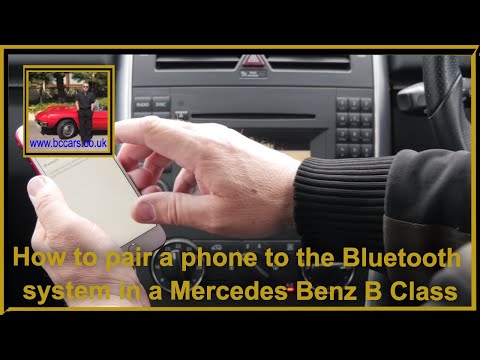
Steps to pair your phone with the onboard computer: 1- Activate the Bluetooth on your phone and make it discoverable. 2- Turn on the onboard computer…
Other guides you may be interested in
|
How to reset the tyre pressure warning light on a Hyundai Tucson
Below are the instructions to reset the tyre pressure warning light (TPMS) on a Hyundai Tucson. First, get into the vehicle and turn on the instrument cluster; then navigate to the vehicle settings until you reach the tyre pressure monitor, identifying the tyre with incorrect pressure. At this point, restore all tyre pressures according to the specifications indicated on the label; this will reset the TPMS and the warning light will be cleared from the instrument cluster! by ScegliAuto More videos
|
|
For advertising on this site Write to info@scegliauto.com
ScegliAuto is not responsible for any inaccuracy of the data in the lists. To report any inaccuracy or your business (if you own the business in question), please write to info@scegliauto.com
Number of seconds to generate the page: 0.087
(c) ScegliAuto 2026 - info@scegliauto.com - Privacy policy VAT number: IT01247470535 |
