
|
Do it yourself
| |||
| ||||


Oil Level Indicator on Instrument Cluster Display
Model: Mercedes Clk
A208, C208, W208
- Years:
1997, 1998, 1999, 2000, 2001, 2002, 2003
Video tutorial
Many vehicles are equipped with an electronic engine oil level monitoring system: when the ignition is turned on, a message appears on the instrument cluster display regarding the engine oil level, which, if satisfactory, indicates "engine oil level ok". It may happen that restarting the engine immediately after switching it off does not provide the correct oil level message, as it is necessary to leave the engine off for a few minutes to allow all the circulating oil to collect in the sump where the level sensor is installed.
Updated on 14 February 2026 by ScegliAuto
Related tutorials
Mercedes Clk
(2002-2010 /
A209, C209, W209)
Learn how to measure the oil level on a Mercedes CLK: after turning off the vehicle and waiting a few minutes, turn on the ignition and navigate usin…
Mercedes Clk
(2002-2010 /
A209, C209, W209)
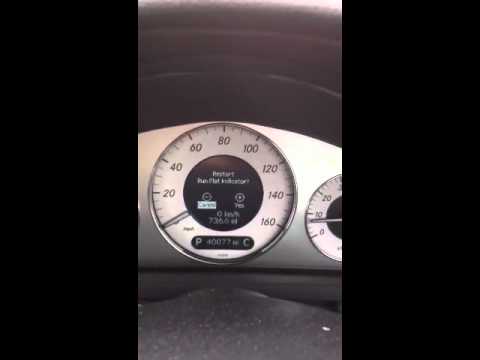
This video tutorial shows how to reset the Run Flat Indicator on a Mercedes CLK. Run flat tyres have an important feature: in case of significant pre…

Mercedes Clk
(1997-2003 /
A208, C208, W208)
Position a suitable container under the oil drain plug of the sump and unscrew it to allow the oil to drain. Once the used oil has drained, screw the…
Other guides you may be interested in
|
How to Open the Fuel Flap on a Volkswagen Tiguan?
To open the fuel flap on a Volkswagen Tiguan, first unlock the car using the appropriate button on the remote. This will open the car and unlock the mechanism that controls the fuel flap. At this point, apply light pressure to the left side of the flap to open it and access the cap underneath. Once this is unscrewed, you can refuel and then close everything. by ScegliAuto More videos
|
|
For advertising on this site Write to info@scegliauto.com
ScegliAuto is not responsible for any inaccuracy of the data in the lists. To report any inaccuracy or your business (if you own the business in question), please write to info@scegliauto.com
Number of seconds to generate the page: 0.072
(c) ScegliAuto 2026 - info@scegliauto.com - Privacy policy VAT number: IT01247470535 |
