
|
Do it yourself
| |||
| ||||


How to Decode the VIN of Your Mercedes Benz
Model: Mercedes Mercedes Various
Decode your Mercedes Benz VIN for free and view all the specifications of your vehicle. Simply visit the website mbdecoder.com and enter the full chassis number of your Mercedes vehicle. You can easily find the chassis number at the letter "E" on the second page of your vehicle registration document, and it consists of 17 digits (alphanumeric characters). This way, you will obtain all the characteristics of your vehicle, including production date, original interior and exterior colour, factory and optional accessories, production location, and all those features that often even dealers are unaware of.
Updated on 24 July 2026 by ScegliAuto
Video tutorial
Related tutorials
Mercedes Mercedes Various
The Mercedes Benz 1634, belonging to the category of heavy goods transport vehicles, is equipped with two fuse boxes, consequently these will have el…
Mercedes Mercedes Various
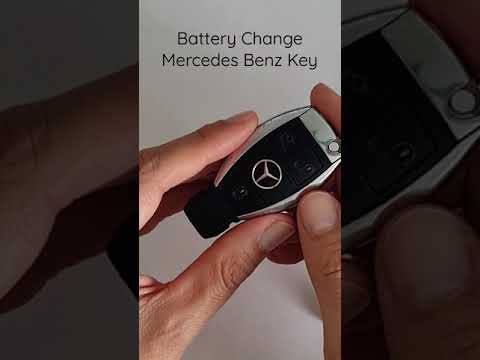
To replace the battery of a Mercedes Benz remote, you will need to follow a few simple steps. First, take the key remote of your car and extract the …

Mercedes Mercedes Various
The electrical fuse diagram of the heavy vehicle Mercedes Benz 1634 is a technical document that allows us to identify, within the fuse box, where ea…
Other guides you may be interested in |
How to Open a Stuck Boot on the Peugeot 407?
On the Peugeot 407, the boot may become stuck, possibly due to a problem with the control button or the lock actuator. In such cases, you can perform an emergency opening by following the simple procedure shown in this tutorial. First, open the rear doors, then lower the seat back by operating the release lever. Next, go inside the boot, locate the lock, and manually operate it using a flathead screwdriver. The boot will then be free to open. by ScegliAuto More videos
|
|
For advertising on this site Write to info@scegliauto.com
ScegliAuto is not responsible for any inaccuracy of the data in the lists. To report any inaccuracy or your business (if you own the business in question), please write to info@scegliauto.com
Number of seconds to generate the page: 0.116
(c) ScegliAuto 2026 - info@scegliauto.com - Privacy policy VAT number: IT01247470535 |
