
|
Do it yourself
| |||
| ||||


Reset the Partial Mileage of the Mercedes GLC
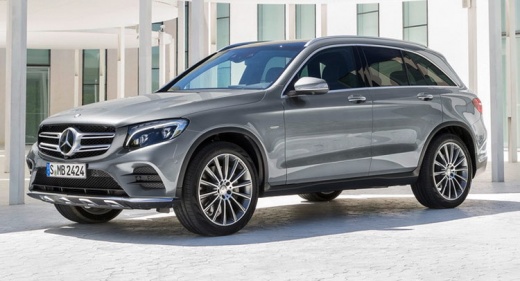
Model: Mercedes Glc
C253, X253, MK 1
- Years 2015-2022
Next, we will see the necessary instructions to reset the partial mileage of the Mercedes GLC by following these simple steps. First, get in the vehicle and turn on the ignition; then press the home button located on the left side of the steering wheel, and navigate to the trip option that appears on the instrument cluster display using the arrow controls, as shown in the video. At this point, confirm the reset of the partial trip mileage; you can perform the partial mileage reset operation at any time!
Updated on 9 September 2026 by ScegliAuto
This video is currently unavailable
Related tutorials
Mercedes Glc
(2015-2022 /
C253, X253, MK 1)
In this tutorial we can see how to reset the service in the Mercedes GLC, an extremely simple and quick operation, to be carried out only after compl…

Mercedes Glc
(2015-2022 /
C253, X253, MK 1)
One reason that may make it necessary to reset the trip odometer is to check fuel consumption, or simply to realize, on a specific day, how many kilo…

Mercedes Glc
(2015-2022 /
C253, X253, MK 1)
In this tutorial, you will see how to reset the tire pressure light in a Mercedes GLC, an extremely simple and quick operation to perform only after …
Other guides you may be interested in
|
Frequently Asked QuestionsHow to Replace the Cabin Filter on the Opel Grandland X
If you own an Opel Grandland X and want to know the steps to replace the cabin air filter, carefully read the following guide and follow the described steps. First, enter the vehicle and go to the passenger side. Then, locate the box containing the air filter in the lower side area of the dashboard. Remove the cover of the box and finally replace the old filter with the new one. Refit the cover, and you are done. by ScegliAuto More videos
|
|
For advertising on this site Write to info@scegliauto.com
ScegliAuto is not responsible for any inaccuracy of the data in the lists. To report any inaccuracy or your business (if you own the business in question), please write to info@scegliauto.com
Number of seconds to generate the page: 0.070
(c) ScegliAuto 2026 - info@scegliauto.com - Privacy policy VAT number: IT01247470535 |
