
|
Do it yourself
| |||
| ||||


How to reset the AdBlue warning light in the Mercedes Sprinter van?
Model: Mercedes Sprinter
MK 3, Br910, Br907
- Years 2018-2026
If the AdBlue warning light comes on in the instrument panel of our Mercedes Sprinter van, it means that the liquid in the anti-pollution system has reached the minimum level and, consequently, needs to be topped up. This is an extremely simple and quick operation, let's see how to proceed in this tutorial. First of all, we buy a 10-liter canister of urea at an auto parts store, then we turn off the engine and open the hood. We then unscrew the indicated blue cap, insert the canister tube into the hole, and pour in the necessary amount of liquid to reach the maximum level.
Posted on 24 July 2024 by ScegliAuto
Video tutorial
Related tutorials
Mercedes Sprinter
(2018-2026 /
MK 3, Br910, Br907)
If the AdBlue warning light has come on in the instrument panel of our Mercedes Sprinter van, it means that the fluid in the anti-pollution system ha…

Mercedes Sprinter
(2018-2026 /
MK 3, Br910, Br907)
If the AdBlue light has lit up in the instrument panel of our Mercedes Sprinter van, it means that the liquid of the anti-pollution system has reache…

Mercedes Sprinter
(2018-2026 /
MK 3, Br910, Br907)
If the AdBlue warning light has come on in the instrument panel of our Mercedes Sprinter van, it means that the fluid in the anti-pollution system ha…
Other guides you may be interested in
|
How to Reset the Tyre Pressure Light on the Opel Grandland X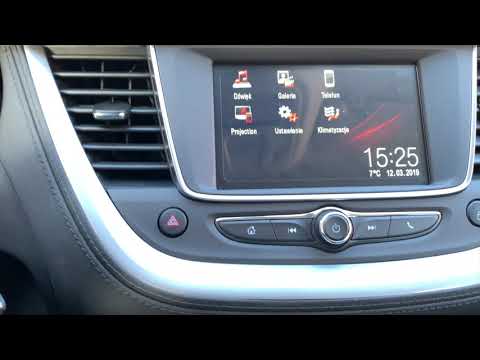
While driving, if you notice the tyre pressure warning light coming on, first check the actual inflation pressure of the tyres and, if necessary, restore the pressures recommended by the manufacturer. After restoring the correct pressures, you need to reset the warning light that has illuminated on the instrument cluster. To do this, locate the reset button on the lower central console. Press this button and hold it down for at least 3 seconds, after which the low pressure indication will turn off. by ScegliAuto More videos
|
|
For advertising on this site Write to info@scegliauto.com
ScegliAuto is not responsible for any inaccuracy of the data in the lists. To report any inaccuracy or your business (if you own the business in question), please write to info@scegliauto.com
Number of seconds to generate the page: 0.115
(c) ScegliAuto 2026 - info@scegliauto.com - Privacy policy VAT number: IT01247470535 |
