
|
Do it yourself
| |||
| ||||


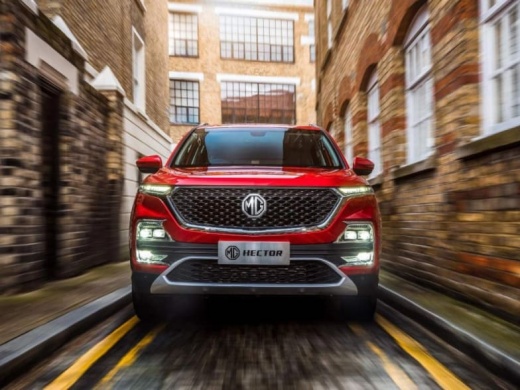
How does the tire pressure and temperature display system work on the MG Hector?
Model: MG Hector
MK 1
- Years:
2019, 2020, 2021, 2022, 2023, 2024, 2025, 2026
Video tutorial
Let's see how the tire pressure monitoring system works on the MG Hector: to access the system, we need to touch the dedicated icon on the infotainment touchscreen, which is located among the various icons in the main menu labeled "tire pressure". The real-time pressure of the 4 tires, the temperature of each tire, and the graphic display shows all four tires simultaneously with continuous pressure monitoring, automatic alerts in case of low pressure, temperature control to prevent overheating, and a clear and immediate display. The system updates automatically while driving and shows real-time values, immediately alerting in case of anomalies.
Posted on 10 November 2025 by ScegliAuto
Related tutorials
MG Hector
(2019-2026 /
MK 1)
In order to reset the tire pressure warning light on the MG Hector, you need to inflate the tires until they reach the recommended pressure value: th…

MG Hector
(2019-2026 /
MK 1)
Replacing the battery in the MG Hector remote is a very simple and quick operation; this tutorial will show you how to proceed. For this, you will ne…

MG Hector
(2019-2026 /
MK 1)
To remove the front bumper of the MG Hector, open the hood to access the screws and rivets that secure the bumper from the top. Once all these fasten…
Other guides you may be interested in
|
How to Activate the Automatic Folding and Unfolding of the Wing Mirrors on the Jeep Compass
Follow these brief instructions to activate the automatic folding and unfolding of the external wing mirrors on the Jeep Compass. First, get inside the vehicle and turn on the ignition; then press the button located beneath the mirror glass adjustment to electrically open the mirror, as shown in the video. Pressing the button in the opposite direction will close the mirrors; by holding the button, the mirrors will open and close automatically! by ScegliAuto More videos
|
|
For advertising on this site Write to info@scegliauto.com
ScegliAuto is not responsible for any inaccuracy of the data in the lists. To report any inaccuracy or your business (if you own the business in question), please write to info@scegliauto.com
Number of seconds to generate the page: 0.011
(c) ScegliAuto 2026 - info@scegliauto.com - Privacy policy VAT number: IT01247470535 |
