
|
Do it yourself
| |||
| ||||


Video tutorial
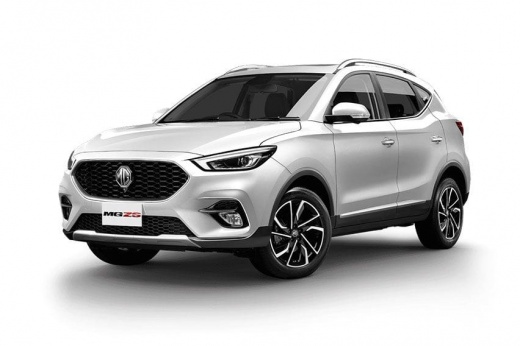
On the MG ZS, access to the fuel fill starts with unlocking the vehicle: with the doors unlocked, reach the fuel door and apply controlled pressure at the opening point until the fuel door releases and opens. Once the cap is visible, grasp it and unscrew it gently, without tilting or forcing, placing it where it won't get dirty. After refueling, screw the cap back on until it is tight and secure, then close the fuel door, guiding it until it clicks shut. If the fuel door does not open, repeat the central locking and check for any mechanical obstructions (dirt, ice, tension on the door) before trying again.
Posted on 25 July 2026 by ScegliAuto
Related tutorials
MG ZS
(2017-2024 /
Zs11)
Opening the fuel cap on an MG ZS vehicle is a simple and quick operation to be carried out independently. To open the fuel cap, we must turn off the …

MG ZS
(2024-2026 /
MK 2)
In this quick guide, we will review the main features of the MG ZS, specifically how to open the fuel door and the tank cap. First, unlock all the lo…

MG ZS
(2017-2024 /
Zs11)
In order to open the fuel door of the MG ZS, you need to access the interior of the car to locate the lever that unlocks the fuel door: it will be lo…
Other guides you may be interested in
|
How to reset the tyre pressure warning light on the Kia Niro EV?
To reset the tyre pressure warning light on the Kia Niro EV, inflate the tyres until they reach the correct pressure value. This value is indicated on the sticker attached to the driver's door pillar. Once the tyres are inflated, turn on the instrument cluster to check that the warning light has completely disappeared from the display. If it is still present, you may need to drive for a few miles to ensure it disappears completely from the screen. by ScegliAuto More videos
|
|
For advertising on this site Write to info@scegliauto.com
ScegliAuto is not responsible for any inaccuracy of the data in the lists. To report any inaccuracy or your business (if you own the business in question), please write to info@scegliauto.com
Number of seconds to generate the page: 0.015
(c) ScegliAuto 2026 - info@scegliauto.com - Privacy policy VAT number: IT01247470535 |
