
|
Do it yourself
| |||
| ||||


How to Change the Key Battery in an MG EHS Plug-in
Model: MG MG Various
Learn how to change the battery in the key of an MG EHS plug-in: on the left side, there is a button that, when pressed, allows you to open the chrome part that gives access to the cover. Now, you can slide out the physical emergency key, then gently apply force to both sides to open the remote in two, which has printed circuits on one side and the button battery on the other; lever it out with a metal object, even the key if necessary. The battery is a common CR2032, which you can obtain anywhere for a few pounds. Insert it with the positive side facing down, then replace the chrome part and snap the remote cover back in place. Open the latch, reinsert the emergency key, and the operation is complete.
Updated on 17 August 2026 by ScegliAuto
Video tutorial
Related tutorials
MG MG Various
The procedure to replace the battery in the key fob of an MG Astor is straightforward. Take the key fob and press the button on the side to remove th…

MG MG Various
Today, we will explain how to independently replace the battery in a car remote for an MG vehicle. To replace the battery, unlike other keys, it is n…

MG MG Various
This video provides instructions on how to replace the remote key battery for an MG model. First, obtain a sharp object or a screwdriver to lever off…
Other guides you may be interested in
|
How to Open the Fuel Cap of the Volkswagen Jetta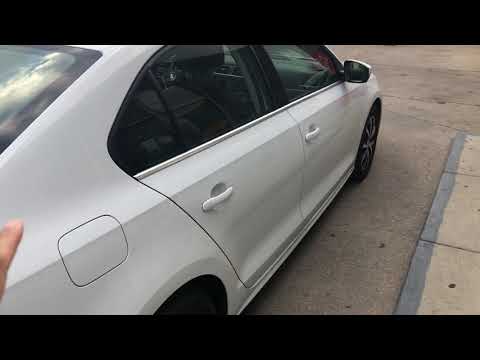
When you need to refuel this vehicle, first open the fuel filler flap. Follow these simple instructions, and you can also watch the video for more details. First, unlock the central locking to open the flaps. Then, press the fuel cap with your hand to unlock it and open it. Underneath, you will find the fuel cap, which you need to unscrew counterclockwise. At this point, you can proceed to refuel. by ScegliAuto More videos
|
|
For advertising on this site Write to info@scegliauto.com
ScegliAuto is not responsible for any inaccuracy of the data in the lists. To report any inaccuracy or your business (if you own the business in question), please write to info@scegliauto.com
Number of seconds to generate the page: 0.156
(c) ScegliAuto 2026 - info@scegliauto.com - Privacy policy VAT number: IT01247470535 |
