
|
Do it yourself
| |||
| ||||


Tire reset on Mini Clubman
Model: Mini Mini
F57, F56, F55, F54
- Years 2014-2023
How to reset the tire maintenance indicator on a Mini Clubman. Very simple operation: enter the car body, turn on the instrument panel with the appropriate key (we will see the fixed maintenance warning light on) and press the keys to scroll the settings menu above the display. Finally, press the central button to confirm maintenance (maintenance completed appears). If the light does not go out, we can inflate one of the tires with compressed air (the light will go off afterwards). Always remember to make changes to the on-board computer when the vehicle is stopped and turned off.
Posted on 13 April 2020 by ScegliAuto
Video tutorial
Related tutorials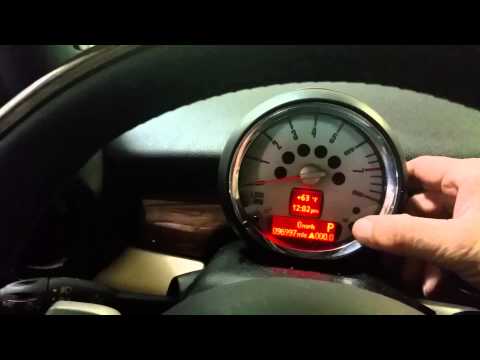
Mini
(2007-2014 /
R56, R57, R55)
How to reset the service on a Mini Clubman? Let's see how to reset the service light. We turn on the instrument panel and check the warning light on,…

Mini
(2014-2023 /
F57, F56, F55, F54)
The reset of the Service light on the Mini Clubman is done by inserting the key into the ignition and turning it to turn on the instrument panel. In …

Mini
(2014-2023 /
F57, F56, F55, F54)
The procedure for resetting the Service light on the Mini Clubman involves inserting the key into the ignition switch and turning it to turn on the i…
Other guides you may be interested in
|
How to Replace the Window Regulator on the BMW X3
Replacing the window regulator mechanism requires removing the door panel and the aluminum underpanel to access the mechanism itself. Remove the motor and loosen the glass retaining clips to complete the removal of the window regulator. Attach the motor to the new mechanism and insert the assembled unit back into the door, securing it with the appropriate nuts. Then, insert the glass and tighten the clips, completing the installation by connecting the motor's power connector and performing a functionality check before reassembling all other components. by ScegliAuto More videos
|

|
For advertising on this site Write to info@scegliauto.com
ScegliAuto is not responsible for any inaccuracy of the data in the lists. To report any inaccuracy or your business (if you own the business in question), please write to info@scegliauto.com
Number of seconds to generate the page: 0.110
(c) ScegliAuto 2026 - info@scegliauto.com - Privacy policy VAT number: IT01247470535 |
