
|
Do it yourself
| |||
| ||||


Replace the ceiling light bulb on the Mini
Model: Mini Mini
R52, R50, R53
- Years 2001-2007
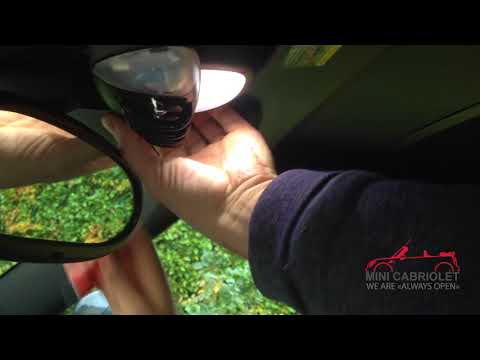
Are the Mini's ceiling light bulbs burned out? Let's see how they change. With a screwdriver we pry between the ceiling light and the sky panel (without breaking anything), take the ceiling light out of the panel and disconnect the power supply terminal. We replace burnt out bulbs with new ones (same size and voltage). Reassemble the ceiling light in its housing (push the ceiling light with your hands until the metal tabs are completely locked). We test the correct functioning of the ceiling light after assembly. We turn on the ceiling lights.
Posted on 23 May 2020 by ScegliAuto
Video tutorial
Related tutorials
Mini
(2001-2007 /
R52, R50, R53)
Remove the burnt out light bulb from the ceiling light? We remove the bulb from inside the spotlight. We are going to pry between the cover of the ce…
Mini
(2007-2014 /
R56, R57, R55)
Learn how to remove the interior lights, specifically the dashboard light, on a Mini R55 (to replace the bulb). Use a screwdriver to lever between th…

Mini
(2007-2014 /
R56, R57, R55)
Today we will explain how to independently replace the front headlight bulbs of the Mini Cooper model 3. To replace the bulbs, we need to open the fr…
Other guides you may be interested in
|
How to Replace the Front Headlight Bulbs of a Toyota Rav4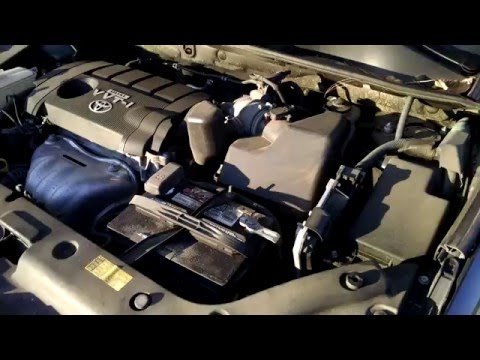
Want to change the front headlight bulbs of a Toyota Rav4 and don't know how? Follow these steps. Open the bonnet and secure it. Locate the inspection caps at the back of the headlights and remove them. At this point, you will find the bulbs with metal clips. Pull the bulb holder out of the headlight and extract the damaged bulb. Fit the new bulb (ensuring it is the correct type and size) and insert the bulb holder back into the headlight housing. Finally, close the headlight with the inspection cap. Test the lights to ensure they are functioning correctly. by ScegliAuto More videos
|
|
For advertising on this site Write to info@scegliauto.com
ScegliAuto is not responsible for any inaccuracy of the data in the lists. To report any inaccuracy or your business (if you own the business in question), please write to info@scegliauto.com
Number of seconds to generate the page: 0.068
(c) ScegliAuto 2026 - info@scegliauto.com - Privacy policy VAT number: IT01247470535 |
