
|
Do it yourself
| |||
| ||||


How do you reset the brake oil warning light on the Mini Countryman?
Model: Mini Mini
R60, Countryman1
- Years 2010-2016
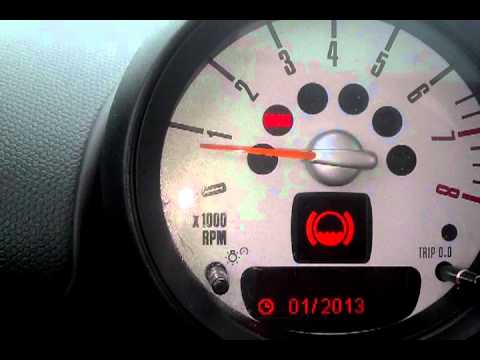
In order to reset the brake oil warning light on the Mini Countryman you need to turn on the instrument panel, moving to the menu that will appear on the display using the button on the lever to the left of the steering wheel. It will be necessary to select the "SET / INFO" item by pressing the button located on the right side of the instrument panel: the brake fluid icon will appear. By selecting the "Reset" item using the button on the left lever, it will be possible to make the warning light disappear from the instrument panel. You can also check the reset status from the appropriate menu on the on-board computer.
Posted on 31 March 2022 by ScegliAuto
Video tutorial
Related tutorials
Mini
(2017-2023 /
F60, Countryman2)
In order to completely make the brake wear indicator light disappear from the Mini Countryman, you will first need to replace the excessively worn br…
Mini
(2010-2016 /
R60, Countryman1)
In this short video we will see the instructions that will allow us to reset the brake wear service light on the Mini Countryman R60, but also on the…
Mini
(2017-2023 /
F60, Countryman2)
This short guide will show us how to reset the brake pad warning on the Mini Countryman, following the instructions below. First, we get into the car…
Other guides you may be interested in
|
How to Replace the Window Regulator on the Mercedes W124
First, remove the door panel of the affected door and lower the window to about 0.4 in from the seal. Then, proceed to remove the speaker by unscrewing the bolts that secure it, and gently pull off any additional protective panel. Disconnect any plugs from the controls and remove the rivets that secure the window lift mechanism. This will allow you to unscrew the bolts that secure the window's cross mounting system. Remove the entire assembly and replace it by reversing the steps described. by ScegliAuto More videos
|

|
For advertising on this site Write to info@scegliauto.com
ScegliAuto is not responsible for any inaccuracy of the data in the lists. To report any inaccuracy or your business (if you own the business in question), please write to info@scegliauto.com
Number of seconds to generate the page: 0.070
(c) ScegliAuto 2026 - info@scegliauto.com - Privacy policy VAT number: IT01247470535 |
