
|
Do it yourself
| |||
| ||||


How do you replace the battery in the Mini Countryman?
Model: Mini Mini
Countryman1, R60
- Years 2010-2016
In order to replace the battery in the Mini Countryman, you need to open the bonnet and access the upper left part of the engine compartment, immediately below the windshield on the driver's side. Here, you will find a plastic cover under which the battery will be located: by removing this cover, you can disconnect the terminals connected to the battery and loosen the bolts that fix it to its housing. In doing so, the battery can be extracted from its housing and replaced with a new spare part. The new battery may be covered with the plastic wrap after installation.
Posted on 15 July 2022 by ScegliAuto
Video tutorial
Related tutorials
Mini
(2017-2023 /
Countryman2, F60)
In the following guide dedicated to those of you who own a second edition Mini Countryman, we will explain how you can replace the small button batte…

Mini
(2010-2016 /
Countryman1, R60)
In this video we can see how to replace the remote control battery of the Mini Countryman, a very simple and fast operation. The replacement battery …

Mini
(2017-2023 /
Countryman2, F60)
In today's video, we will see how to replace the battery of the Mini Countryman remote control. This tutorial also applies to other contemporary mode…
Other guides you may be interested in
|
Frequently Asked QuestionsHow to Replace the Fuel Filler Flap of a Volkswagen Golf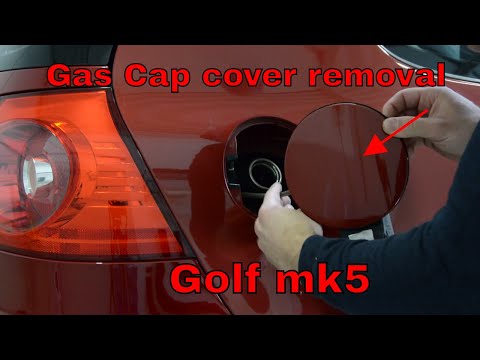
As the first step, open the fuel flap and unscrew the cap of the fuel filler neck. Just below the flap closure hook, there is a screw to unscrew. This way, you can easily pull the edge you just unscrewed with your hands. Be careful with the gasket present, and with great care, continue with the extraction of the flap. Once removed, you can make the necessary replacements. Now, retrace the steps described in reverse for reassembling the various components, and you're done! by ScegliAuto More videos
|

|
For advertising on this site Write to info@scegliauto.com
ScegliAuto is not responsible for any inaccuracy of the data in the lists. To report any inaccuracy or your business (if you own the business in question), please write to info@scegliauto.com
Number of seconds to generate the page: 0.082
(c) ScegliAuto 2026 - info@scegliauto.com - Privacy policy VAT number: IT01247470535 |
