
|
Do it yourself
| |||
| ||||


How to reset the oil change light in the Mini R50 ??
Model: Mini Mini
R52, R50, R53
- Years 2001-2007
On the dashboard of the Mini R50, right next to the odometer, we find a button that is what we need to reset the oil change light. To carry out this operation, the instrument panel must necessarily be switched on. So, after turning the key to the ON position, press the aforementioned button and keep it down until "reset" appears on the display next to it. At this point, release it and press it again, this time until the message on the display starts flashing. Let us release it and press it one last time to complete the reset procedure.
Posted on 12 November 2022 by ScegliAuto
This video is currently unavailable
Related tutorials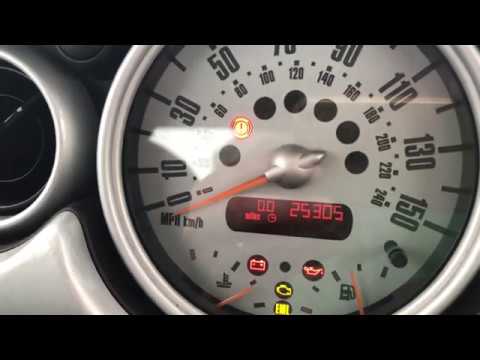
Mini
(2001-2007 /
R52, R50, R53)
In this video, we see the instructions that will allow us to reset the oil change routine maintenance service light on a Mini Cooper R50, second seri…
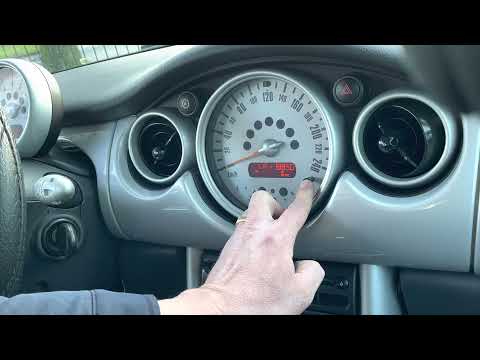
Mini
(2001-2007 /
R52, R50, R53)
In order to reset the oil change reset warning light, it is necessary to follow the following procedure: open the door and access the driver's seat, …

Mini
(2001-2007 /
R52, R50, R53)
In this video we see how to behave when approaching the moment of changing the engine oil. In the Mini, on the display in the speedometer, the remain…
Other guides you may be interested in
|
How to Remove the Dome Light of an Audi Q5
Let's see how to remove and replace the bulbs located in the dome light of the headliner on an Audi Q5. Use a screwdriver or a plastic trim tool to pry between the dome light cover and its perimeter (without breaking the plastic). Pull the bulbs to be replaced out of the dome light. Replace the damaged bulbs with new ones (same size and voltage). Reinstall the cover in its housing along with the associated parts. Perform the same operation for the other dome lights located in the headliner. Test the light's proper operation at the end of the installation. by ScegliAuto More videos
|
|
For advertising on this site Write to info@scegliauto.com
ScegliAuto is not responsible for any inaccuracy of the data in the lists. To report any inaccuracy or your business (if you own the business in question), please write to info@scegliauto.com
Number of seconds to generate the page: 0.120
(c) ScegliAuto 2026 - info@scegliauto.com - Privacy policy VAT number: IT01247470535 |
