
|
Do it yourself
| |||
| ||||


How do you reset the battery light on Mini Countryman?
Model: Mini Mini
Countryman1, R60
- Years 2010-2016
When the battery is replaced on the Mini Countryman, the relative error warning light will appear on the instrument panel: first of all, the battery must be removed from its housing located in the upper part of the engine compartment, immediately under the windscreen on the passenger side. It will be possible to reach it by detaching the appropriate panel; Once the replacement has taken place, a diagnostic tool will need to be used to turn off the light. The device must be connected to the vehicle's OBD port, located under the steering column, following all the instructions shown to turn off the warning light.
Posted on 11 January 2023 by ScegliAuto
Video tutorial
Related tutorials
Mini
(2017-2023 /
Countryman2, F60)
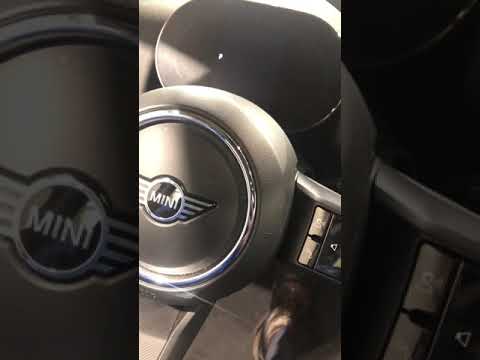
To reset the "Service" light on a Mini Countryman, start by turning on the instrument panel without starting the engine. Press the button located bel…
Mini
(2017-2023 /
Countryman2, F60)
The operation of resetting the Service light on the Mini Countryman is done by turning the key to turn on the instrument panel: once it has been turn…

Mini
(2010-2016 /
Countryman1, R60)
To reset the Service light on the Mini Countryman, you will need to turn on the instrument panel and then press and hold the button to the right of t…
Other guides you may be interested in
|
How to Install an Additional Horn on a Fiat Punto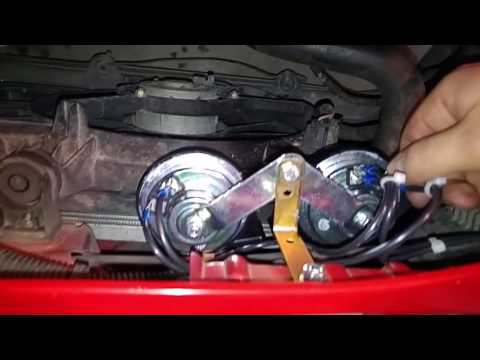
It may happen that the original horn starts to produce a sound that is noticeably underwhelming; at this point, you can decide to install a pair of sounders connected in parallel with the original one to achieve a more assertive sound. The installation is very easy, but it is important to direct the sound output towards an air intake, so you need to shape a support bracket to fix it to the slam panel with a single bolt. Once secured, take the positive power from the fuse box using a 2.5 mm² cable, tapping into the purple wire directly under the relay while connecting the ground directly to the negative terminal of the battery. by ScegliAuto More videos
|

|
For advertising on this site Write to info@scegliauto.com
ScegliAuto is not responsible for any inaccuracy of the data in the lists. To report any inaccuracy or your business (if you own the business in question), please write to info@scegliauto.com
Number of seconds to generate the page: 0.080
(c) ScegliAuto 2026 - info@scegliauto.com - Privacy policy VAT number: IT01247470535 |
