
|
Do it yourself
| |||
| ||||


Adjusting the Display on a Mini Cooper
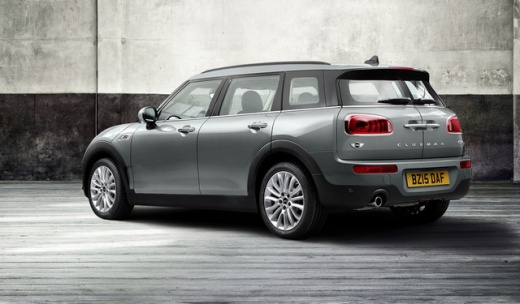
Model: Mini Mini
F56, F57, F54, F55
- Years 2014-2023
If you want to customise the interior courtesy lights, with the iDrive, go to the 'Settings' option, then a menu should open with various options including 'Lights'. You can choose between 'Classic' or 'Sport/Urban' based on your configuration. Additionally, the internal light colour change option will also affect the colour on the front door handles and the footwell lighting for the driver and front passenger; the latter can only be noticed by moving to the side of the steering wheel and tunnel that obstructs your view of the pedals and passenger footwell.
Updated on 28 July 2026 by ScegliAuto
Video tutorial
Related tutorials
Mini
(2010-2016 /
Countryman1, R60)
The clock adjustment on the Mini Cooper is done by turning on the instrument panel and navigating to the menu that will appear on the central display…

Mini
(2014-2023 /
F56, F57, F54, F55)
The clock adjustment of the Mini Cooper can be done by turning on the instrument panel, after the key has been inserted into the corresponding slot: …

Mini
(2001-2007 /
R53, R52, R50)
This guide provides important instructions for adjusting the timing chain and subsequently timing the engine of the Mini Cooper. Before removing the …
Other guides you may be interested in
|
How to Adjust the Brightness of the Instrument Cluster on a Peugeot 3008?
To adjust the brightness of the instrument cluster on a Peugeot 3008, you need to turn on the ignition and access the settings via the menu located in the central area of the dashboard. In the screen that appears, select the "Display Configuration" option: now, by selecting the "Brightness" option, you can adjust it using the dedicated slider that will appear on the screen. The adjustment should be made with the headlights on as well as with them off. Once the adjustment is complete, you can turn off the instrument cluster. by ScegliAuto More videos
|
|
For advertising on this site Write to info@scegliauto.com
ScegliAuto is not responsible for any inaccuracy of the data in the lists. To report any inaccuracy or your business (if you own the business in question), please write to info@scegliauto.com
Number of seconds to generate the page: 0.085
(c) ScegliAuto 2026 - info@scegliauto.com - Privacy policy VAT number: IT01247470535 |
