
|
Do it yourself
| |||
| ||||


How to reset the brake pads on a Mini Cooper.
Model: Mini Mini
F57, F56, F55, F54
- Years 2014-2023
In this tutorial, we are shown how to reset the brake pad warning light on a Mini Cooper, model produced from 2014 to 2023. Let's start by turning on the vehicle's instrument panel without starting the engine. Then, we press and hold the "TRIP" button on the right side of the speedometer until we enter the reset menu. Next, we release the button and start pressing it to select the brake pad warning light. Once we have done that, by pressing and holding the "TRIP" button again on this warning light, we will be prompted to confirm the reset. Finally, we release the button and press it again to confirm and start the reset.
Posted on 19 September 2023 by ScegliAuto
Video tutorial
Related tutorials
Mini
(2017-2023 /
Countryman2, F60)
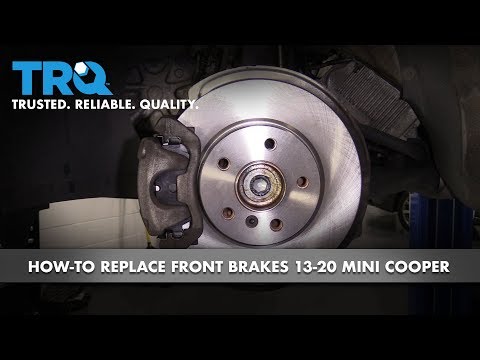
In order to reset the brake wear indicator light of the Mini Cooper, you first need to replace the excessively worn brake pads by disconnecting the c…
Mini
(2014-2023 /
F57, F56, F55, F54)
The procedure for replacing the brake pads of the Mini Cooper is the same for both the front and rear wheels: you will need to lift the car so that t…

Mini
(2007-2014 /
R56, R57, R55)
In this video we see how to change the rear brake pads on a Mini Cooper: first, open the brake fluid cap, unscrew the bolts of the rear wheels and li…
Other guides you may be interested in
|
How to Remove the Air Vents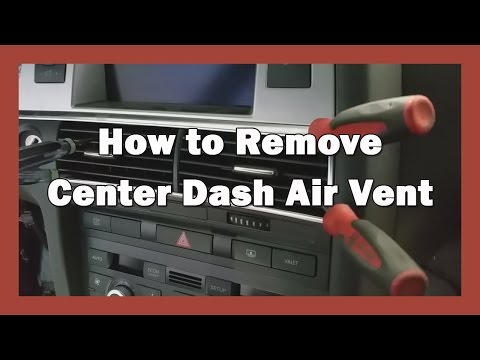
Let's see how to remove the air vents (center dashboard) from an Audi A6. Use multiple levers (screwdriver) to remove the vents. Pry at the top and bottom with the levers (as shown in the video) until you release the clips inside; detach the air vents and pull them out from the dashboard. Once you have pulled the vents outward, disconnect the two power connectors (as shown in the video) and remove the piece. Prepare to perform maintenance inside the dashboard, and then start installing the new air vents; connect the terminals and secure everything. by ScegliAuto More videos
|

|
For advertising on this site Write to info@scegliauto.com
ScegliAuto is not responsible for any inaccuracy of the data in the lists. To report any inaccuracy or your business (if you own the business in question), please write to info@scegliauto.com
Number of seconds to generate the page: 0.078
(c) ScegliAuto 2026 - info@scegliauto.com - Privacy policy VAT number: IT01247470535 |
