
|
Do it yourself
| |||
| ||||


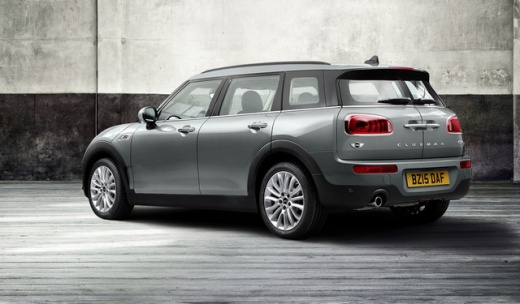
How to Remove the Front Bumper on a Mini Cooper S
Model: Mini Mini
F55, F54, F56, F57
- Years:
2014, 2015, 2016, 2017, 2018, 2019, 2020, 2021, 2022, 2023
Video tutorial
To remove the front bumper on a Mini Cooper S, open the bonnet to access the components located in the engine compartment: here you can identify the screws that secure the piece to its housing from the top. Next, detach the coverings of the front wheel arches so that the underlying screws can be loosened. The screws located at the bottom of the bumper can also be loosened, and at this point, you can completely detach the bumper and replace it with a new one.
Updated on 5 September 2026 by ScegliAuto
Related tutorials
Mini
(2001-2007 /
R53, R50, R52)
This guide shows you the procedure to remove and replace the front bumper of the Mini Cooper in simple steps. First, open the bonnet and start unscre…

Mini
(2007-2014 /
R57, R56, R55)
Before starting, open the front bonnet of your Mini Cooper. Begin by unscrewing and removing the bolts that secure the front headlamp to the vehicle.…

Mini
(2007-2014 /
R57, R56, R55)
Today's video will show you the procedure for removing and replacing the front bumper of a Mini Cooper, following the instructions below. First, open…
Other guides you may be interested in
|
How to Set the Time in an Audi A4?
In this tutorial, you will see how to set the time in an Audi A4, a very simple and quick operation to perform after replacing the battery or when the time changes. First, insert the key and turn on the instrument cluster. Then, press the "SETUP" button located on the center console. Next, press the upper left arrow button, navigate to the "Time" option, and use the central knob to adjust the clock. Finally, set any necessary formats and save by returning to the main screen. by ScegliAuto More videos
|
|
For advertising on this site Write to info@scegliauto.com
ScegliAuto is not responsible for any inaccuracy of the data in the lists. To report any inaccuracy or your business (if you own the business in question), please write to info@scegliauto.com
Number of seconds to generate the page: 0.033
(c) ScegliAuto 2026 - info@scegliauto.com - Privacy policy VAT number: IT01247470535 |
