
|
Do it yourself
| |||
| ||||


How to reset the tire pressure light on the Mitsubishi Outlander
Model: Mitsubishi Outlander
MK 4
- Years 2021-2026
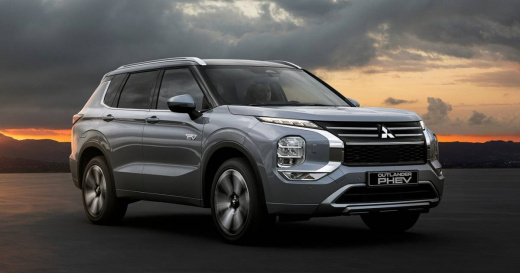
The instructions in this guide will allow us to reset the tire pressure warning light on the Mitsubishi Outlander; before resetting the TPMS sensors, it is necessary for all four tires to be at the correct pressure. So, we get into the car and start the engine; we go to the car settings and then to the tire pressure monitor, as shown in the video. At this point, we verify that the pressures have been restored, thus resetting the warning on the instrument panel.
Posted on 10 September 2025 by ScegliAuto
Video tutorial
Related tutorials
Mitsubishi Outlander
(2013-2021 /
MK 3)
To reset the tire pressure light on a Mitsubishi Outlander, you need to connect a diagnostic computer to the OBD (On-Board Diagnostics) port of the v…

Mitsubishi Outlander
(2013-2021 /
MK 3)
In this guide, we will see the instructions that will allow us to reset the tire pressure warning light (TPMS) of the Mitsubishi Outlander; before pe…

Mitsubishi Outlander
(2013-2021 /
MK 3)
In this tutorial we can see how to reset the tire pressure light in the Mitsubishi Outlander, an extremely simple and quick operation, to be carried …
Other guides you may be interested in
|
Fuses Location and Diagram for the Volkswagen Crafter
In this guide, we will look at the location of the fuse boxes and how to find their diagram for the Volkswagen Crafter. First, get inside the vehicle and start by removing the plastic cover found under the steering wheel, to access the internal fuse box; you will find another fuse box in the engine compartment by removing the plastic cover located next to the battery. At this point, use the owner's manual to find the fuse diagram, which will allow you to identify and replace any blown fuses with new ones! by ScegliAuto More videos
|
|
For advertising on this site Write to info@scegliauto.com
ScegliAuto is not responsible for any inaccuracy of the data in the lists. To report any inaccuracy or your business (if you own the business in question), please write to info@scegliauto.com
Number of seconds to generate the page: 0.067
(c) ScegliAuto 2026 - info@scegliauto.com - Privacy policy VAT number: IT01247470535 |
