
|
Do it yourself
| |||
| ||||


Nissan Qashqai - DashboardDashboard Nissan Qashqai (2014-2022 / j 11) Nissan Qashqai (2014-2022 / J11)
Where is the OBD port located in the 2020 Nissan Qashqai? In this new guide dedicated to all of you who own a Nissan Qashqai (year 2020), we will help you safely locate the vehicle's OBD port. The first thing you need …Read all… Posted on 14 January 2025 by ScegliAuto  Nissan Qashqai (2006-2014 / J10)
Where is the OBD2 port located on the Nissan Qashqai? To locate the OBD2 port inside your Nissan Qashqai, simply follow the following procedure. First of all, you need to enter the interior of the car and make …Read all… Posted on 14 July 2024 by ScegliAuto 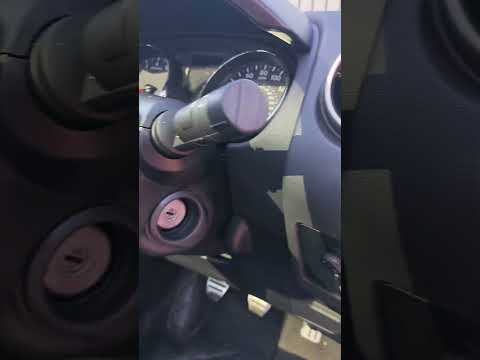 Nissan Qashqai (2006-2014 / J10)
Where to Find the OBD Port on a 2013 Nissan Qashqai In this guide, discover how to locate the OBD port on your 2013 Nissan Qashqai J10 in just a few seconds. This port allows you to connect any compatible …Read all… Posted on 13 September 2026 by ScegliAuto 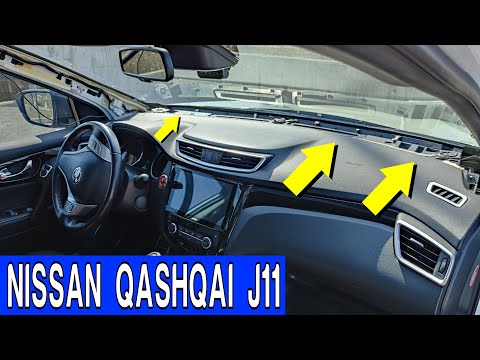 Nissan Qashqai (2014-2022 / J11)
How to Fix the Vibrating Dashboard on a Nissan Qashqai J11 In this video, learn how to fix the vibrating dashboard on a Nissan Qashqai J11. First, remove the pillar covers by lowering the seal and then pulling from the …Read all… Posted on 15 August 2026 by ScegliAuto  Nissan Qashqai (2006-2014 / J10)
Where to Find the OBD Port on a 2011 Nissan Qashqai To locate the OBD port in your first-generation Nissan Qashqai (2011), follow these simple steps. First, enter the car and ensure it is off. Next, focus on the …Read all… Posted on 31 July 2026 by ScegliAuto
Nissan Qashqai (2014-2022 / J11)How to Remove the Glove Compartment Drawer of a Nissan Qashqai In this video, learn how to remove the glove compartment drawer in a Nissan Qashqai. Open the glove compartment and disconnect the end stop brackets. Then, use …Read all… Posted on 15 March 2026 by ScegliAuto Dashboard Nissan Qashqai (2006-2014 / j 10)
Nissan Qashqai (2014-2022 / J11)Where is the OBD port located in the 2020 Nissan Qashqai? In this new guide dedicated to all of you who own a Nissan Qashqai (year 2020), we will help you safely locate the vehicle's OBD port. The first thing you need …Read all… Posted on 14 January 2025 by ScegliAuto
Nissan Qashqai (2006-2014 / J10)Where is the OBD2 port located on the Nissan Qashqai? To locate the OBD2 port inside your Nissan Qashqai, simply follow the following procedure. First of all, you need to enter the interior of the car and make …Read all… Posted on 14 July 2024 by ScegliAuto
Nissan Qashqai (2006-2014 / J10)Where to Find the OBD Port on a 2013 Nissan Qashqai In this guide, discover how to locate the OBD port on your 2013 Nissan Qashqai J10 in just a few seconds. This port allows you to connect any compatible …Read all… Posted on 13 September 2026 by ScegliAuto
Nissan Qashqai (2014-2022 / J11)How to Fix the Vibrating Dashboard on a Nissan Qashqai J11 In this video, learn how to fix the vibrating dashboard on a Nissan Qashqai J11. First, remove the pillar covers by lowering the seal and then pulling from the …Read all… Posted on 15 August 2026 by ScegliAuto
Nissan Qashqai (2006-2014 / J10)Where to Find the OBD Port on a 2011 Nissan Qashqai To locate the OBD port in your first-generation Nissan Qashqai (2011), follow these simple steps. First, enter the car and ensure it is off. Next, focus on the …Read all… Posted on 31 July 2026 by ScegliAuto
Nissan Qashqai (2014-2022 / J11)How to Remove the Glove Compartment Drawer of a Nissan Qashqai In this video, learn how to remove the glove compartment drawer in a Nissan Qashqai. Open the glove compartment and disconnect the end stop brackets. Then, use …Read all… Posted on 15 March 2026 by ScegliAuto Airbag (17) Alternator (2) Speaker (7) Shocks (8) Antenna (8) Car stereo (29) Roof rack bars (11) Battery (13) Ignition coil (1) Air vents (2) Control arm (1) Transmission (2) Spark plugs (8) Glow plugs (7) Body (15) Glove compartment (4) Key (56) Timing belt (32) Air conditioner (1) Onboard computer (34) Checks and maintenance (81) Oil pan (1) Dashboard (6) Bearing (1) MAF sensor (2) Brake rotors (4) Rear bench seat (1) Headlight (9) Tail light (16) Fog lights (11) Diesel particulate filter (2) Air filter (25) Cabin air filter (45) Diesel fuel filter (18) Oil filter (6) Parking brake (10) Clutch (6) Grille (1) Fuel injectors (4) Reverse light switch (1) Accessory kit (1) Light bulb (10) Headlight bulb (24) Tail light bulb (12) Interior dome light bulb (8) Antifreeze coolant (1) Instrument panel light (1) License plate light (7) (1) Handle (15) Exhaust muffler (1) Trim cover (1) Power window motor (1) Starter motor (1) Transmission fluid (2) Engine oil (9) Clock (17) Door trim panel (16) Front bumper (5) Rear bumper (5) Brake pads (20) Hydraulic pistons (1) Shift knob (9) Pump (1) Fuel pump (1) Car door (4) Push button (1) Power window switch (1) Instrument cluster (15) Radiator (1) Wheel (5) Fuse box (70) Seat (6) Crankshaft position sensor (1) Parking sensors (2) Door lock (1) Oxygen sensor (1) Suspension system (1) Side mirror (15) Rearview mirror (1) AdBlue warning light (17) Warning light – error code (53) (47) Tire pressure warning light (9) Service warning light (161) Fuel cap (2) Windshield wipers (8) Thermostat (3) Center console tunnel (2) Turbocharger (2) EGR valve (7) Blower motor (10) Side window (1) Steering wheel (9) |
How to Set the Clock on the Opel Zafira
Setting the clock to the current Italian time on an Opel Zafira model B is a very simple operation, also made easier by our short instructional video. The first step is to turn on the instrument panel and then press the SETTING button located on the central dashboard. Once inside the menu, use the buttons to navigate to the clock setting. Adjust the hours and minutes and restart the instrument panel. If the clock does not update, it may be necessary to diagnose the radio or the vehicle's control unit. by ScegliAuto More videos
|
|
For advertising on this site Write to info@scegliauto.com
ScegliAuto is not responsible for any inaccuracy of the data in the lists. To report any inaccuracy or your business (if you own the business in question), please write to info@scegliauto.com
Number of seconds to generate the page: 0.009
(c) ScegliAuto 2026 - info@scegliauto.com - Privacy policy VAT number: IT01247470535 |
