
|
Do it yourself
| |||
| ||||


How to disassemble the odometer of the Nissan Terrano II
Model: Nissan Terrano
Terrano 2, MK 2
- Years:
1993, 1994, 1995, 1996, 1997, 1998, 1999, 2000, 2001, 2002, 2003, 2004
Video tutorial
In this video we see how to disassemble the odometer of the Nissan Terrano II, in order to be able to re-solder the LCD screen. The LCD screen is a common problem that easily occurs due to vibrations. First, we will need to remove the lower part of the dashboard, removing all the screws that we can see circled in red in the video. After removing the plastic partition, we will find more screws to remove under the dashboard and then above the upper part of the instrument panel. After removing the plastic partitions, we will also find metal brackets to remove above the upper part of the dashboard; two from the top and two from the bottom. Once the instrument panel is removed, we can remove the LCD screen. These screens can easily be found used, so it is impossible to give a specific purchasing reference. However, we recommend seeking a professional due to the difficulty of soldering.
Posted on 16 December 2024 by ScegliAuto
Related tutorials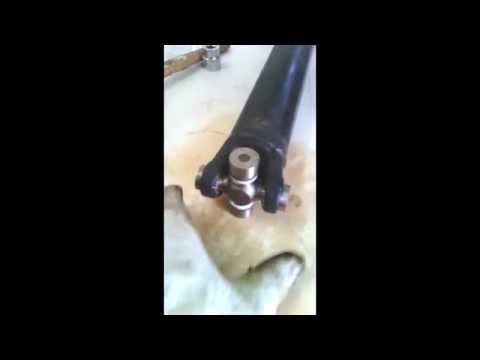
Nissan Terrano
(1993-2005 /
Terrano 2, MK 2)
In this video description, you will see the main instructions on how to remove the propshaft and subsequently replace the universal joint on a Nissan…

Nissan Terrano
(1993-2005 /
Terrano 2, MK 2)
In this guide, follow the steps for removing and replacing the diesel injection pump on the Nissan Terrano. First, open the bonnet of your car and st…

Nissan Terrano
(1993-2005 /
Terrano 2, MK 2)
Below are the instructions that will allow you to perform routine maintenance by replacing the engine oil and oil filter on the Nissan Terrano. First…
Other guides you may be interested in |
How to Reset the Tire Pressure Light on a MG ZS?
On the instrument cluster of the MG ZS, the tire pressure light that appears can be reset by inflating the tires to the correct pressure: this value will be indicated on the sticker attached to the driver's door pillar. Once the tires have been properly inflated, you can turn on the instrument cluster and navigate through the menu until you find the option that indicates tire pressure: if this screen shows the new values, the light will turn off; otherwise, you will need to drive for a few miles so that the sensors can read the new values and turn off the light afterward. by ScegliAuto More videos
|
|
For advertising on this site Write to info@scegliauto.com
ScegliAuto is not responsible for any inaccuracy of the data in the lists. To report any inaccuracy or your business (if you own the business in question), please write to info@scegliauto.com
Number of seconds to generate the page: 0.018
(c) ScegliAuto 2026 - info@scegliauto.com - Privacy policy VAT number: IT01247470535 |
