
|
Do it yourself
| |||
| ||||


How to adjust the clock of the Nissan Murano
Model: Nissan Murano
MK 1, Z50
- Years 2003-2008
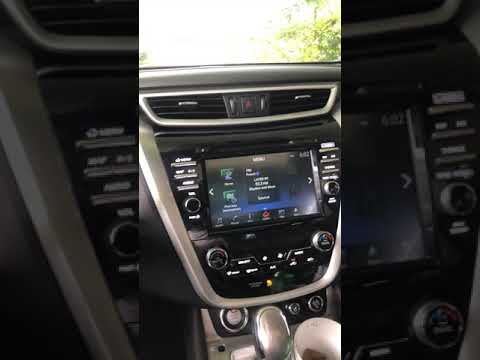
Today we will explain how to set the time on a Nissan Murano vehicle produced from 2003 to 2008. To set the time, we need to turn on the radio and press the second button on the navigation, located below the display. By pressing the menu button, we have access to various settings and using the volume knob, we select the "TIME" option. We then set the desired hour and minutes. If desired, it is also possible to set the time format from 12-hour to 24-hour and vice versa. Once the time is set, we return to the main menu and restart the instrument panel to complete the operation.
Posted on 8 August 2025 by ScegliAuto
Video tutorial
Related tutorials
Nissan Murano
(2014-2024 /
Z52, MK 3)
In this tutorial, we can see how to adjust the time in the Nissan Murano, an extremely simple and quick operation, to be carried out for example afte…
Nissan Murano
(2014-2024 /
Z52, MK 3)
To reset the radio on the Nissan Murano, turn on the ignition so that the central display also lights up: once it is on, rotate the volume knob clock…

Nissan Murano
(2008-2014 /
Z51, MK 2)
If you don't know where the OBD2 port is located in your second-generation Nissan Murano, don't worry because the following guide provides a descript…
Other guides you may be interested in
|
How to Remove the Front Bumper of the Citroën C4 Picasso?
To remove the front bumper of the Citroën C4 Picasso, you need to take out all the rivets and screws that secure the piece to its housing: these screws are located inside the wheel arches of the front wheels and at the central upper part of the bumper itself. Once all these fastening elements have been removed, you can detach the bumper from its seat by disconnecting the connectors inside and then insert the new replacement part. The new part can then be secured and connected properly, ensuring it is correctly fixed in place. by ScegliAuto More videos
|
|
For advertising on this site Write to info@scegliauto.com
ScegliAuto is not responsible for any inaccuracy of the data in the lists. To report any inaccuracy or your business (if you own the business in question), please write to info@scegliauto.com
Number of seconds to generate the page: 0.409
(c) ScegliAuto 2026 - info@scegliauto.com - Privacy policy VAT number: IT01247470535 |
