
|
Do it yourself
| |||
| ||||


What to Do If the Radio in Your Nissan Sentra Stops Working
Model: Nissan Sentra
B17, MK 7
- Years 2012-2022
Let's see how to fix the issue of a Nissan Sentra radio that is not working (black screen, frozen, and no backup camera). Usually, a "soft" reset is enough by pressing and holding the volume/power button on the radio for a long time. Wait for the screen to turn off until it is completely black (this takes about 10 to 15 seconds). When the screen is black, release the button; the Nissan logo should then appear on the screen, indicating that the system is rebooting. Once completed, the radio should be restored and operational. This is always the first thing to try in case of an electronic malfunction in the system.
Posted on 4 September 2026 by ScegliAuto
Video tutorial
Related tutorials
Nissan Sentra
(2020-2026 /
MK 8, B18)
Through this very useful video tutorial today, we can see how to perform a forced reset of the radio system of a latest series Nissan Sentra with the…

Nissan Sentra
(2000-2006 /
MK 5, B15)
When the cigarette lighter socket of the Nissan Sentra model B15 stops working, it means that the corresponding fuse is faulty and needs to be replac…
Nissan Sentra
(2012-2022 /
B17, MK 7)
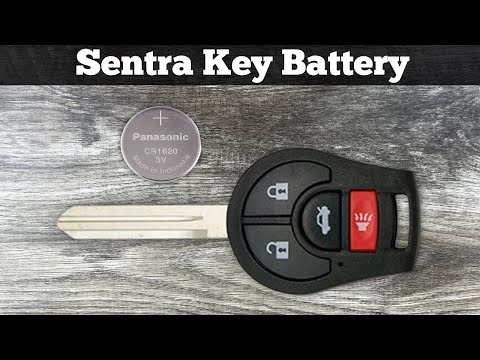
If the key for your Nissan Sentra Mk7 (2013-2019) suddenly stops working, don't worry. If the issue is due to a dead battery, you can easily replace …
Other guides you may be interested in |
How to Open a Stuck Boot on the Peugeot 407?
On the Peugeot 407, the boot may become stuck, possibly due to a problem with the control button or the lock actuator. In such cases, you can perform an emergency opening by following the simple procedure shown in this tutorial. First, open the rear doors, then lower the seat back by operating the release lever. Next, go inside the boot, locate the lock, and manually operate it using a flathead screwdriver. The boot will then be free to open. by ScegliAuto More videos
|
|
For advertising on this site Write to info@scegliauto.com
ScegliAuto is not responsible for any inaccuracy of the data in the lists. To report any inaccuracy or your business (if you own the business in question), please write to info@scegliauto.com
Number of seconds to generate the page: 0.053
(c) ScegliAuto 2026 - info@scegliauto.com - Privacy policy VAT number: IT01247470535 |
