
|
Do it yourself
| |||
| ||||


How to Remove the Diesel Filter on a Navara
Model: Nissan Navara
D40
- Years 2005-2015
Remove the diesel filter on a Navara for replacement. Open the front bonnet and see how to disassemble it. Locate the diesel filter as shown in the video. Disconnect all the circulation pipes along with the electrical connectors, then unscrew the securing bolts. Once all the pipes are disconnected, remove the filter housing from the engine bay. Replace the worn filter with a new one. Install the diesel filter back into the engine bay (connect the pipes and cables) and tighten the securing bolts. Close the front bonnet after assembly. Start the engine and test its operation.
Updated on 28 March 2026 by ScegliAuto
Video tutorial
Related tutorials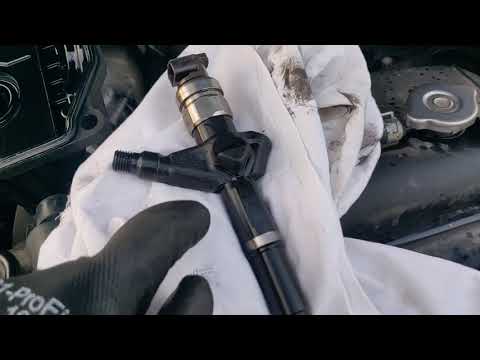
Nissan Navara
(2005-2015 /
D40)
Today, we will look at the procedure necessary for removing and replacing the diesel injectors on the Nissan Navara D40 with a 2.5 Diesel engine. Fir…

Nissan Navara
(2005-2015 /
D40)
This procedure is specific to the Nissan Navara D40 with a 3.0 diesel engine (YD3.0) and the type of instrument panel shown in the video. For Navara …

Nissan Navara
(2014-2024 /
D23)
The latest generation diesel cars, in addition to using diesel fuel, also use the additive adblue to reduce emissions from their exhaust gases. This …
Other guides you may be interested in
|
How to Reset the Tyre Pressure Light on the Opel Grandland X
While driving, if you notice the tyre pressure warning light coming on, first check the actual inflation pressure of the tyres and, if necessary, restore the pressures recommended by the manufacturer. After restoring the correct pressures, you need to reset the warning light that has illuminated on the instrument cluster. To do this, locate the reset button on the lower central console. Press this button and hold it down for at least 3 seconds, after which the low pressure indication will turn off. by ScegliAuto More videos
|
|
For advertising on this site Write to info@scegliauto.com
ScegliAuto is not responsible for any inaccuracy of the data in the lists. To report any inaccuracy or your business (if you own the business in question), please write to info@scegliauto.com
Number of seconds to generate the page: 0.182
(c) ScegliAuto 2026 - info@scegliauto.com - Privacy policy VAT number: IT01247470535 |
