
|
Do it yourself
| |||
| ||||


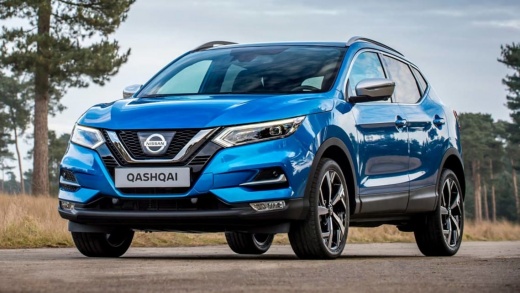
Replacing the Key Battery on the Nissan Qashqai
Model: Nissan Qashqai
J11
- Years:
2014, 2015, 2016, 2017, 2018, 2019, 2020, 2021, 2022
Video tutorial
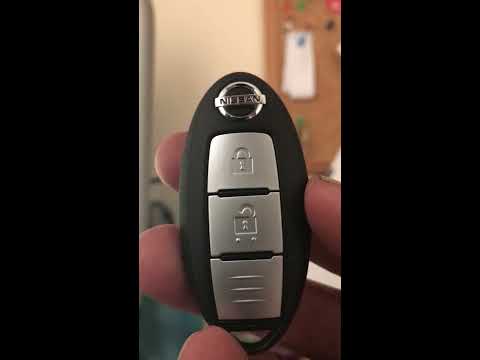
If your remote isn't working, the battery inside is likely flat. To replace it, start by removing the metal key from the central block. Next, using a sharp tool, preferably a small flat screwdriver, gently split the two halves of the remote by prying them apart without breaking the plastic parts that snap together. Run the screwdriver around the perimeter and separate the two parts. You will then have access to the battery, which you can replace with a new one. Reassemble the two parts of the remote and press firmly to ensure they fit together perfectly.
Updated on 20 May 2026 by ScegliAuto
Related tutorials
Nissan Qashqai
(2021-2026 /
J12)
On the Nissan Qashqai, the replacement of the key battery starts from the emergency metal key: in the video, it is removed from the remote and set as…
Nissan Qashqai
(2006-2014 /
J10)
Start by pressing and holding the button located on the back of the key fob of your Nissan Qashqai, then extract the physical emergency key. Next, us…

Nissan Qashqai
(2014-2022 /
J11)
This brief video tutorial shows the procedure to replace the key battery of a Nissan Qashqai. Start by extracting the physical emergency key. Then, u…
Other guides you may be interested in
|
How to open the bonnet on a Volkswagen Golf?
In this tutorial, you will see how to open the bonnet on a Volkswagen Golf MK4. This is a very simple operation that follows the standard procedure. First, open the driver's door, then locate the lever in the lower left area and pull it. Next, move to the front of the vehicle, lift the bonnet slightly, and find the second lever located just above the Volkswagen logo. At this point, simply pull it towards you, fully open the bonnet, and secure it with the prop rod. To close it, gently push it down. by ScegliAuto More videos
|
|
For advertising on this site Write to info@scegliauto.com
ScegliAuto is not responsible for any inaccuracy of the data in the lists. To report any inaccuracy or your business (if you own the business in question), please write to info@scegliauto.com
Number of seconds to generate the page: 0.127
(c) ScegliAuto 2026 - info@scegliauto.com - Privacy policy VAT number: IT01247470535 |
