
|
Do it yourself
| |||
| ||||


How to Calculate the Radio Code for a Nissan
Model: Nissan Rogue
T33
- Years 2021-2026
Has your car undergone maintenance or battery replacement and now your radio is not working? Don't worry, we will explain how to calculate and enter the radio code for a Nissan Eco. You should know that Nissan has produced an app, available for both Android and iPhone, that will allow you to calculate the identification code for your radio without having to disassemble it to retrieve the lost code. All you need to do is download the app and enter the required information about your vehicle. Once entered, you can view a page on the app's home screen where the secret code will be displayed at the bottom, which you will need to enter on the radio using the frequency buttons.
Updated on 3 September 2026 by ScegliAuto
Video tutorial
Related tutorials
Nissan Rogue
(2014-2020 /
T32)
This guide will show you the steps to reset the factory radio in the Nissan Rogue, as well as in the Qashqai. First, get inside the vehicle and turn …

Nissan Rogue
(2008-2015 /
S35)
In this new mini guide dedicated to all of you who own a Nissan Rogue (year 2013), we will help you complete the removal of the factory radio inside …
Nissan Rogue
(2021-2026 /
T33)
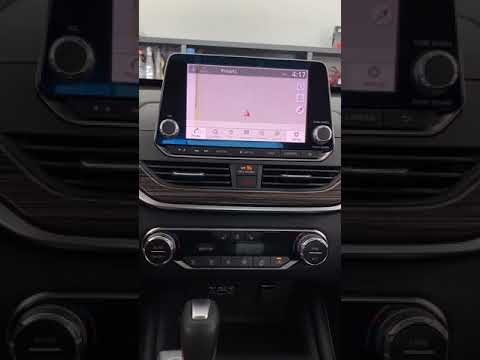
If you are experiencing serious issues with the touchscreen display of your new Nissan Rogue's radio, don't worry because you can resolve the problem…
Other guides you may be interested in
|
How to Replace the Cabin Filter on the Opel Grandland X
If you own an Opel Grandland X and want to know the steps to replace the cabin air filter, carefully read the following guide and follow the described steps. First, enter the vehicle and go to the passenger side. Then, locate the box containing the air filter in the lower side area of the dashboard. Remove the cover of the box and finally replace the old filter with the new one. Refit the cover, and you are done. by ScegliAuto More videos
|
|
For advertising on this site Write to info@scegliauto.com
ScegliAuto is not responsible for any inaccuracy of the data in the lists. To report any inaccuracy or your business (if you own the business in question), please write to info@scegliauto.com
Number of seconds to generate the page: 0.088
(c) ScegliAuto 2026 - info@scegliauto.com - Privacy policy VAT number: IT01247470535 |
